
How to set up my profile?
Personalise your InstantAPPLY account in minutes by uploading your logo, profile picture, and compliance documents link, helping deliver a consistent and professional experience for your clients from their very first interaction.
One of the great things about InstantAPPLY is that it's ready to go as soon as you are, no complicated setup needed. That said, there's one quick thing we recommend before you start inviting clients.
Adding your profile picture and company logo helps brand your InstantAPPLY so it looks familiar and professional to your clients.
To personalise your InstantAPPLY account and make it client-ready, follow these steps:
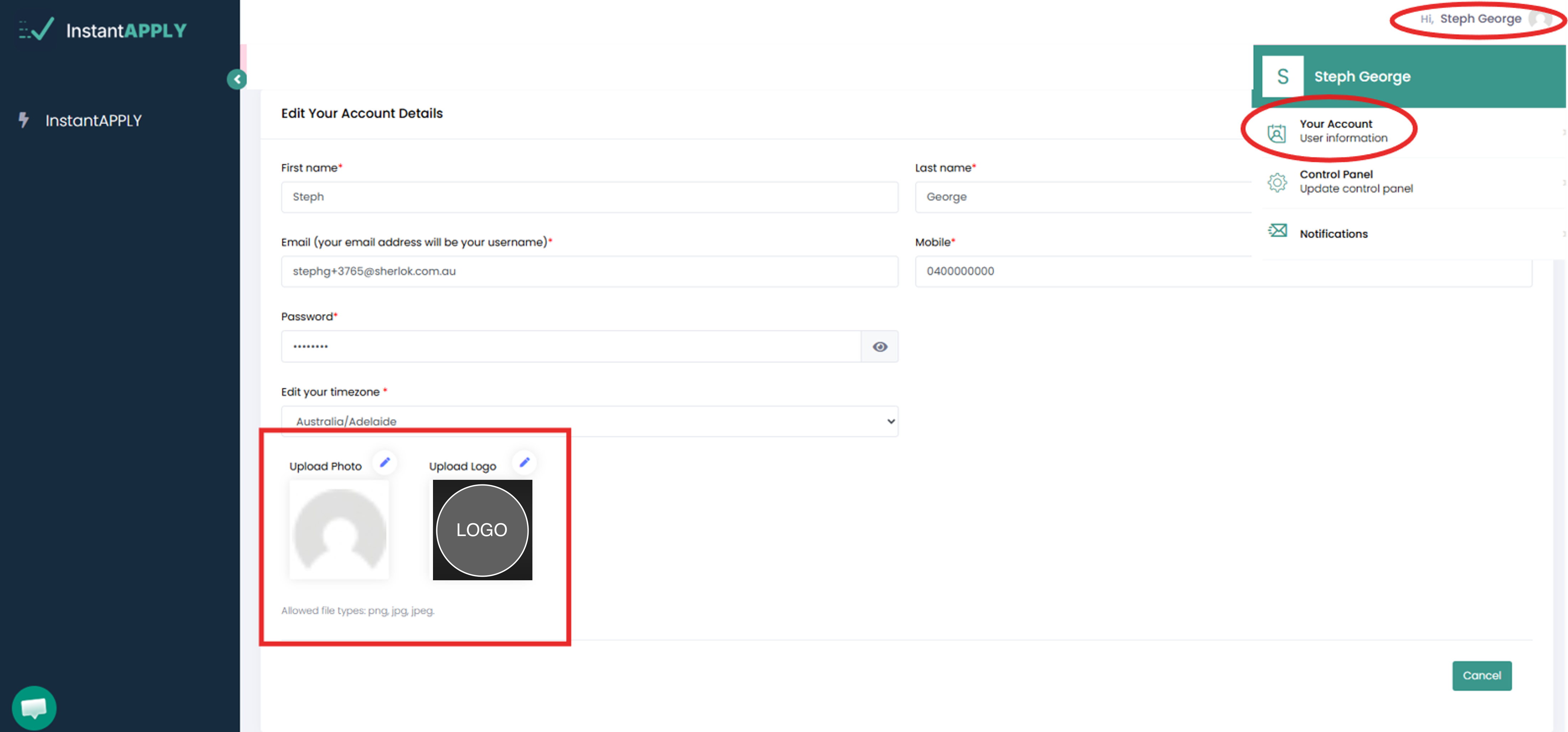
- Click your name in the top-right corner of your dashboard.
- Select Your Account from the dropdown menu.
- Scroll down to the Profile section.
- Upload your logo and profile picture.
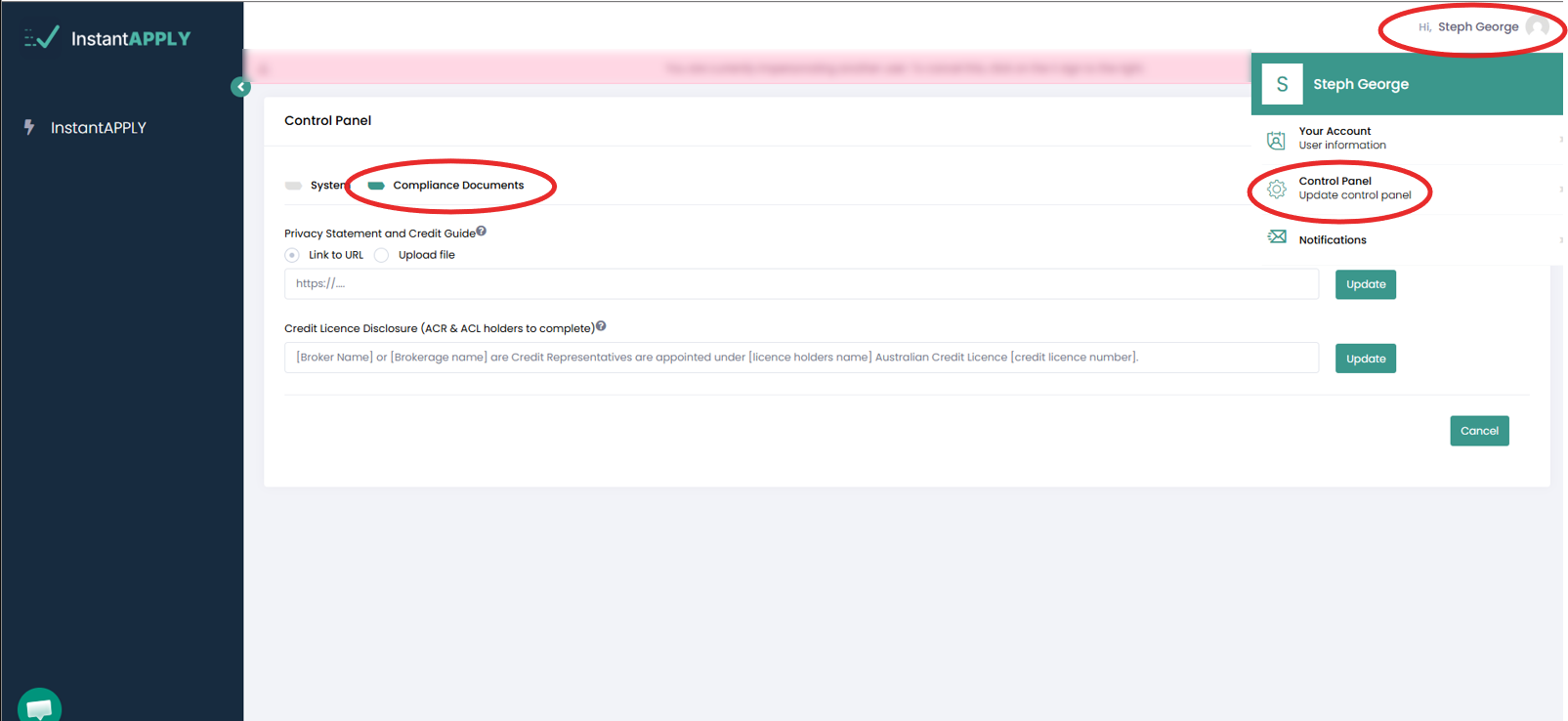
- Click your name again in the top-right corner, and Select Control Panel.
- Next, click on Compliance Documents.
- Copy and Paste your Privacy Statement and Credit Guide Link in the field with the same name, Click Update.
For more Info on Creating your Privacy Statement and Credit Guide Link. Check this article.
Once uploaded, your profile is ready, and you can start inviting clients confidently.