What to Do After Creating an InstantAPPLY Application
Already created an InstantAPPLY application? The next step is to share the application link with your client so they can begin completing their details and uploading the required documents.
Once an application is created, no automatic communication is sent to your client. You will need to share the Client Connect Link via SMS or email for them to begin providing their data.
You can access the Client Connect Link in two ways:
1. From the Dashboard (Applications List):
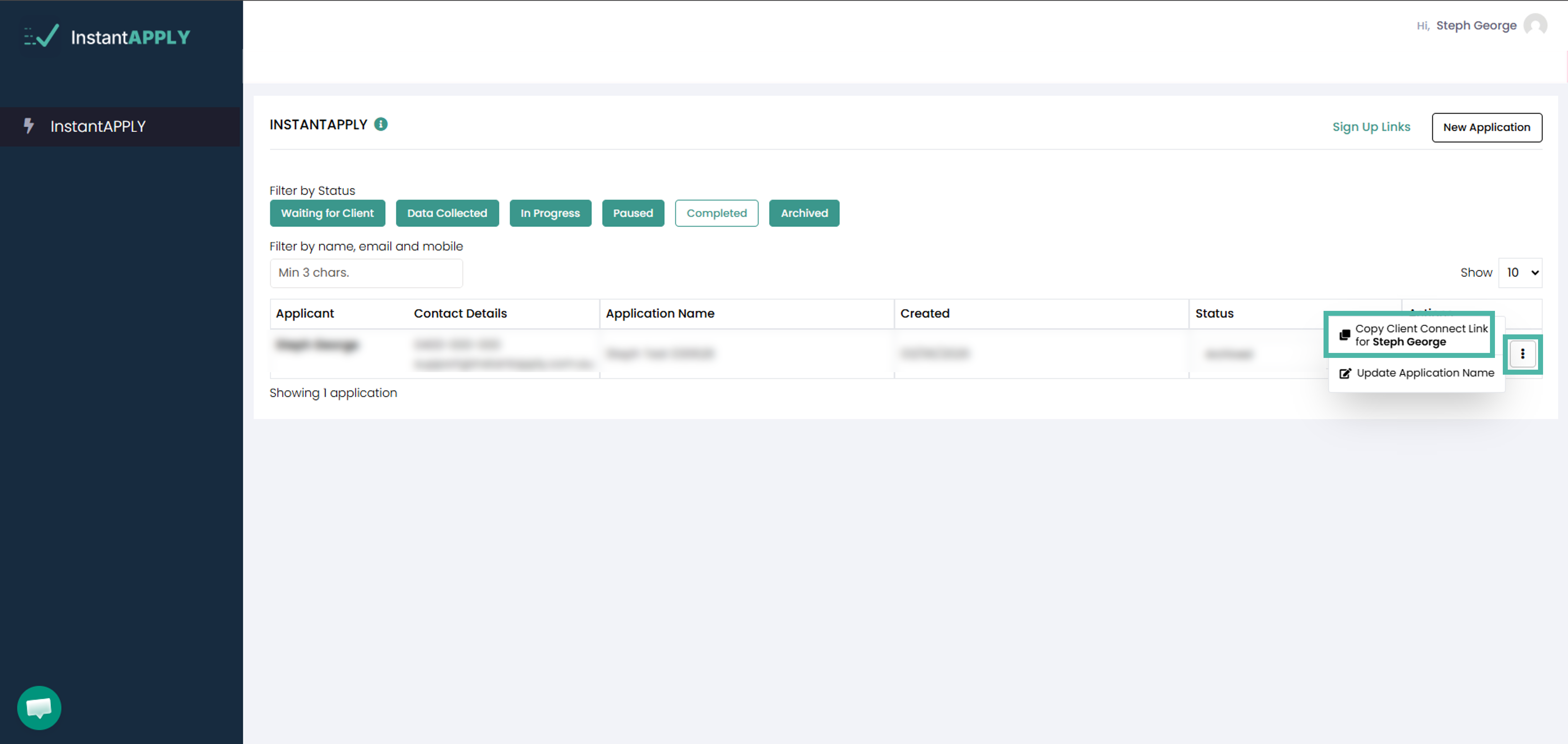
a. Locate and select the relevant application.
b. Click the three-dot button.
c. Select Copy Client Connect Link for {Client Name}.
d. Paste the link into an SMS or email and send it to your client to begin their application.
2. From within the Application:
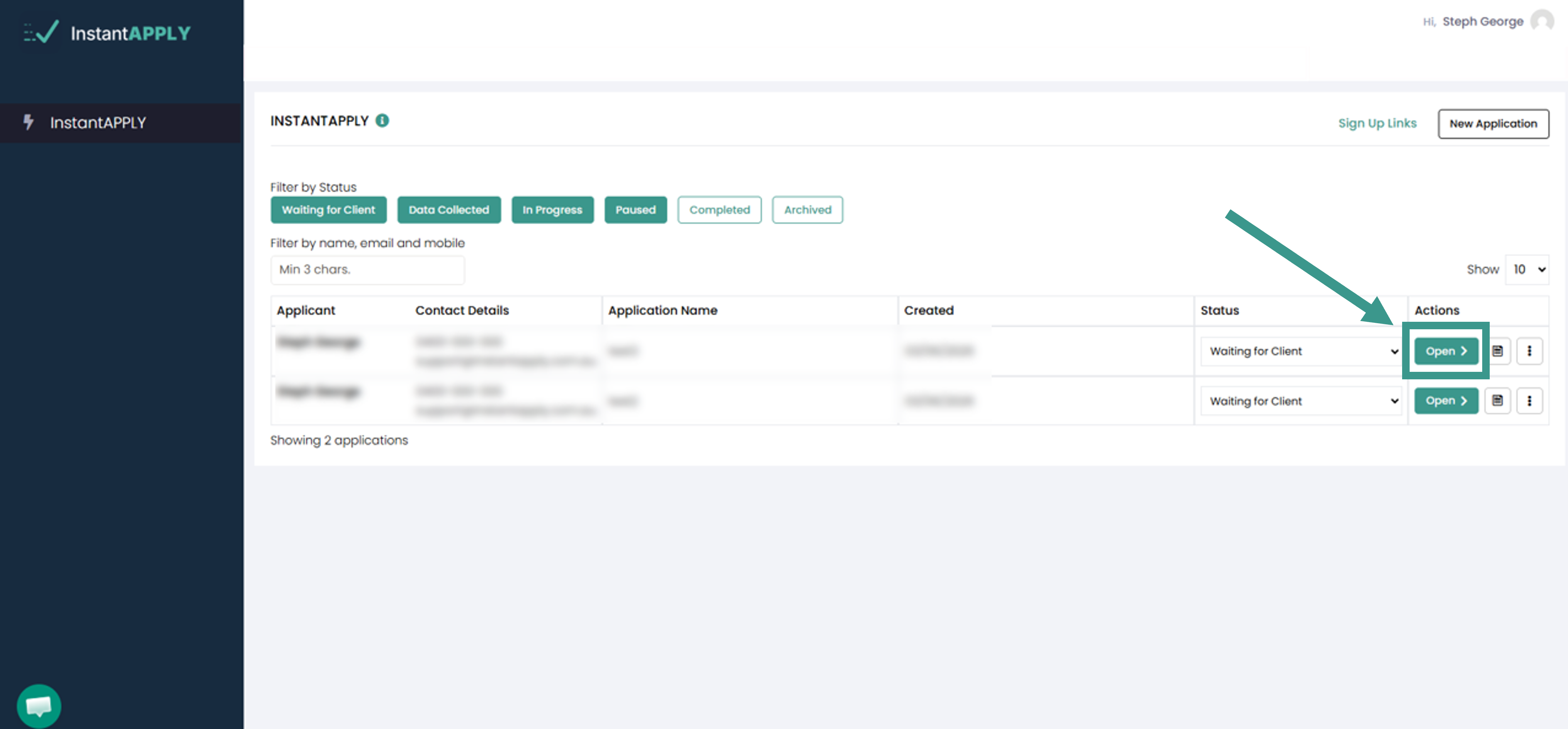
a. Open the relevant application.
b. Click Open.
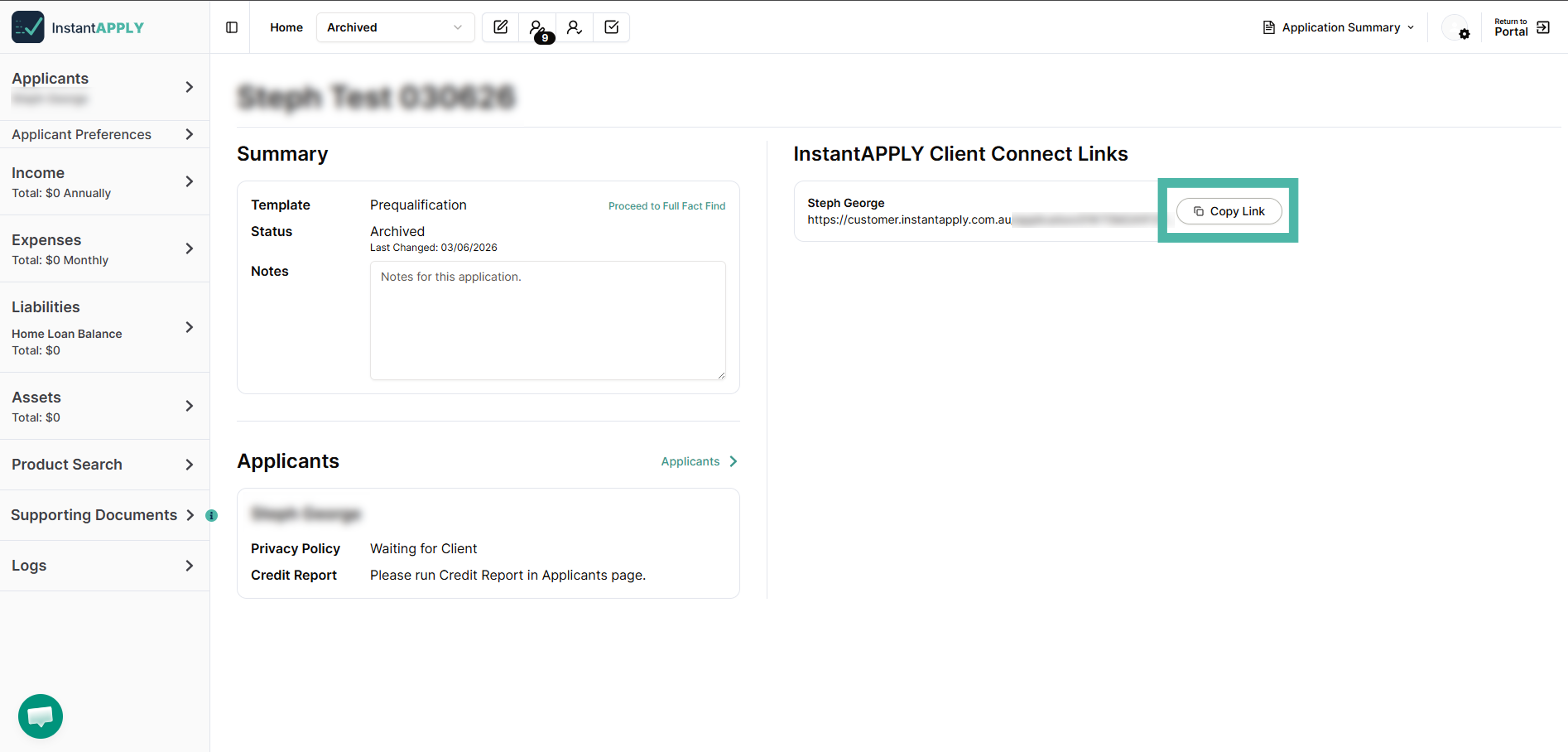
c. Under InstantAPPLY Client Connect Links, select Copy Link.
d. Paste the link into an SMS or email and send it to your client to begin their application.