
Connecting Quickli to InstantAPPLY
Learn how to connect Quickli to InstantAPPLY by adding your API key in Settings and managing lender selection to enable integration.
Let’s set up the Quickli integration with InstantAPPLY by following the steps below:
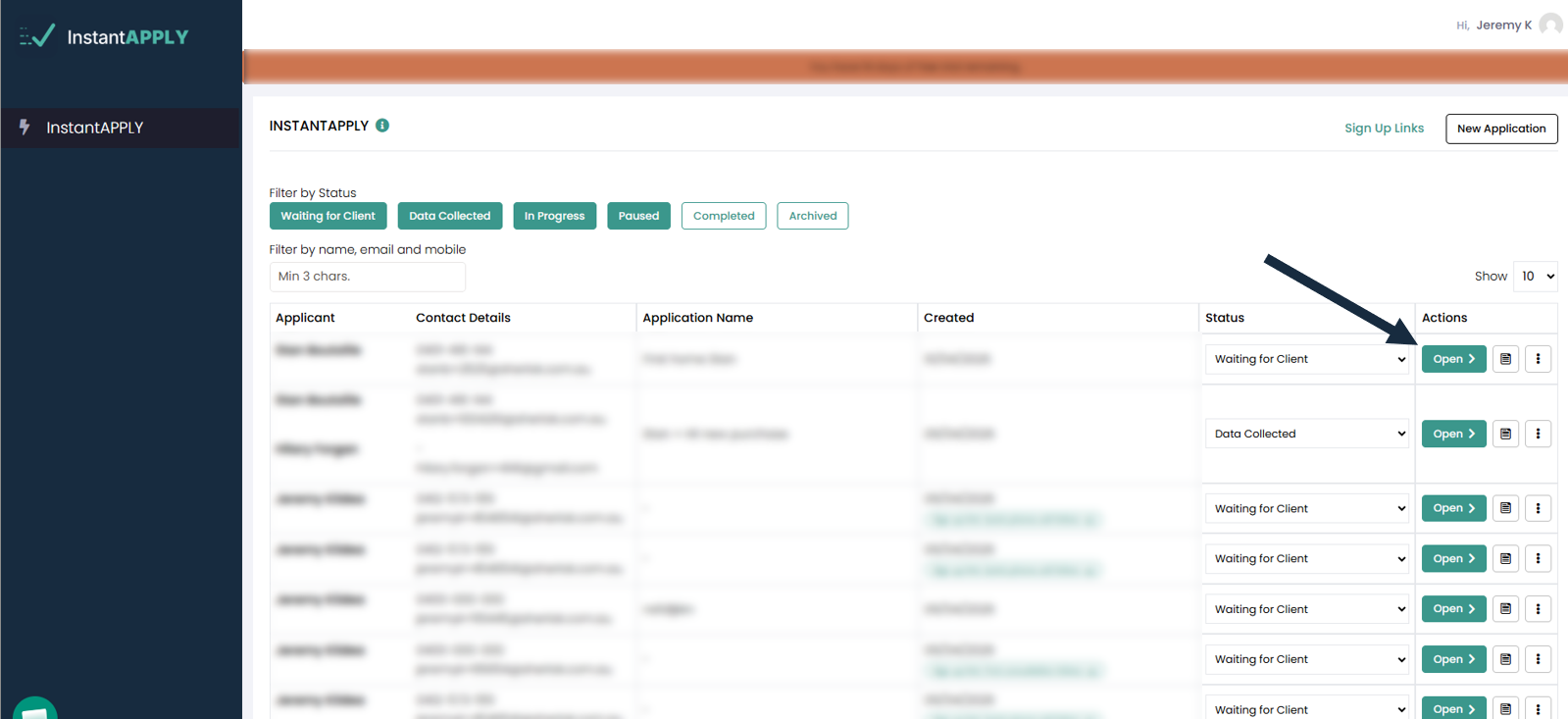
1. Open an InstantAPPLY application.
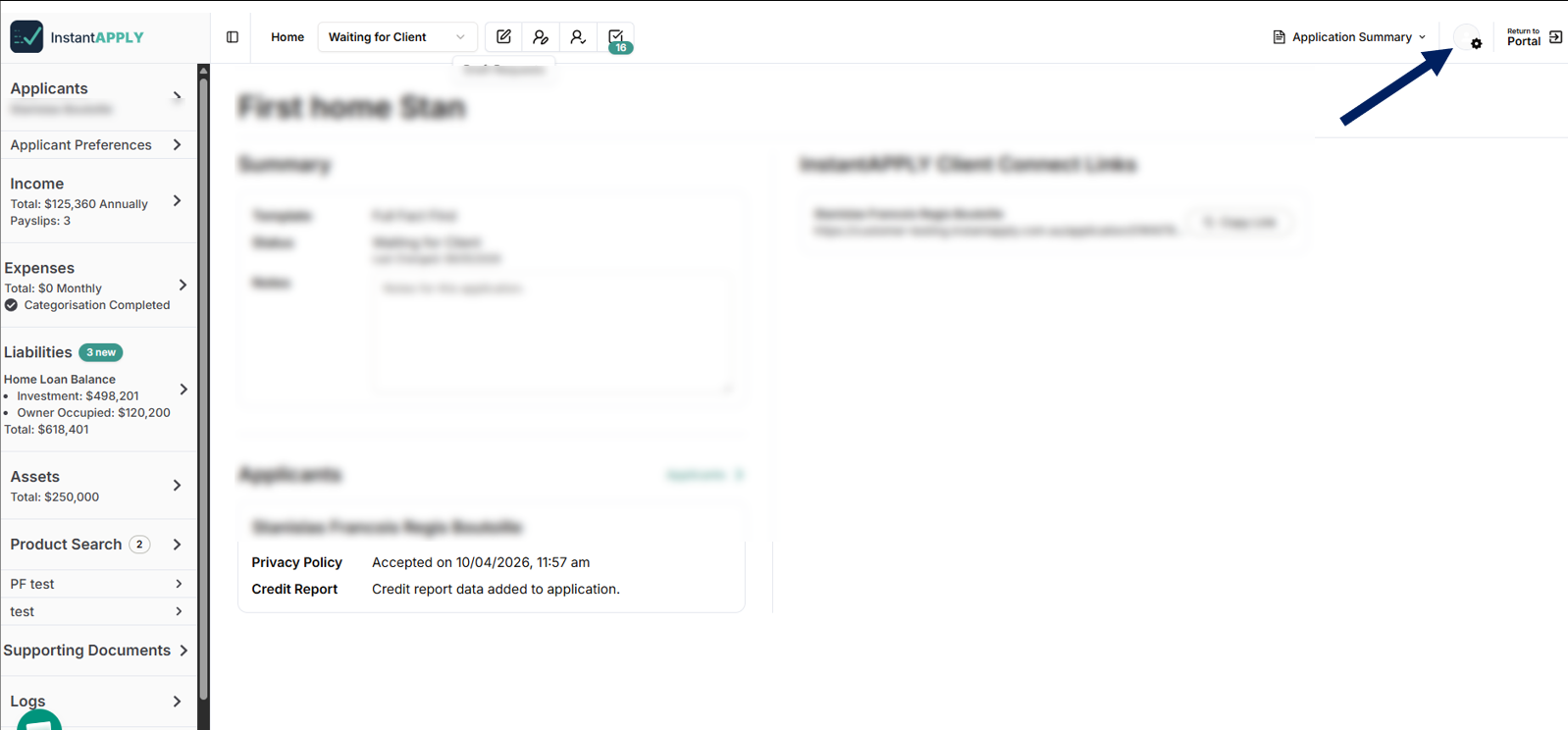
2. On the InstantAPPLY home page, Click on the InstantAPPLY Settings button in the top-right corner.
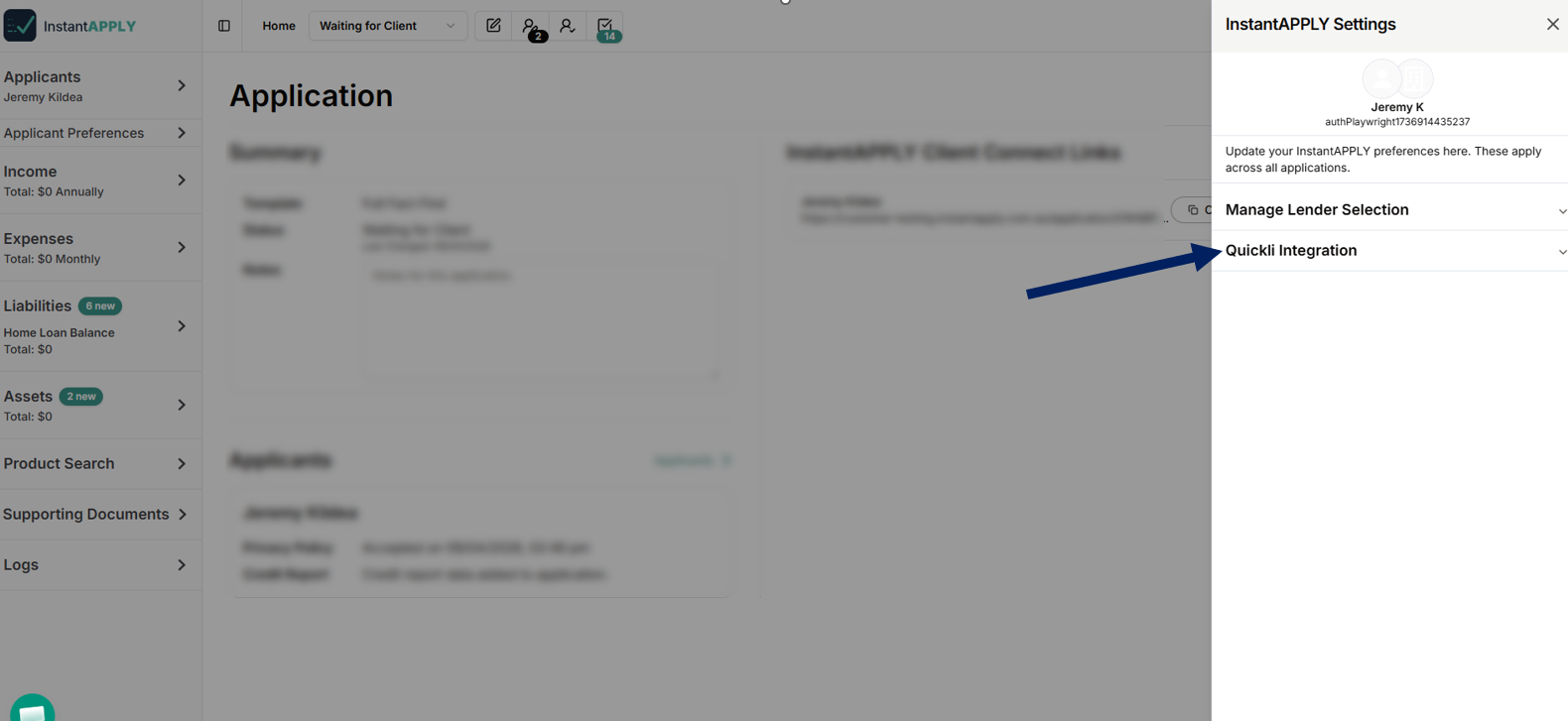
3. In the InstantAPPLY Settings window, Click Quickli Integration.
4. Enter your API Key in the API Key field.
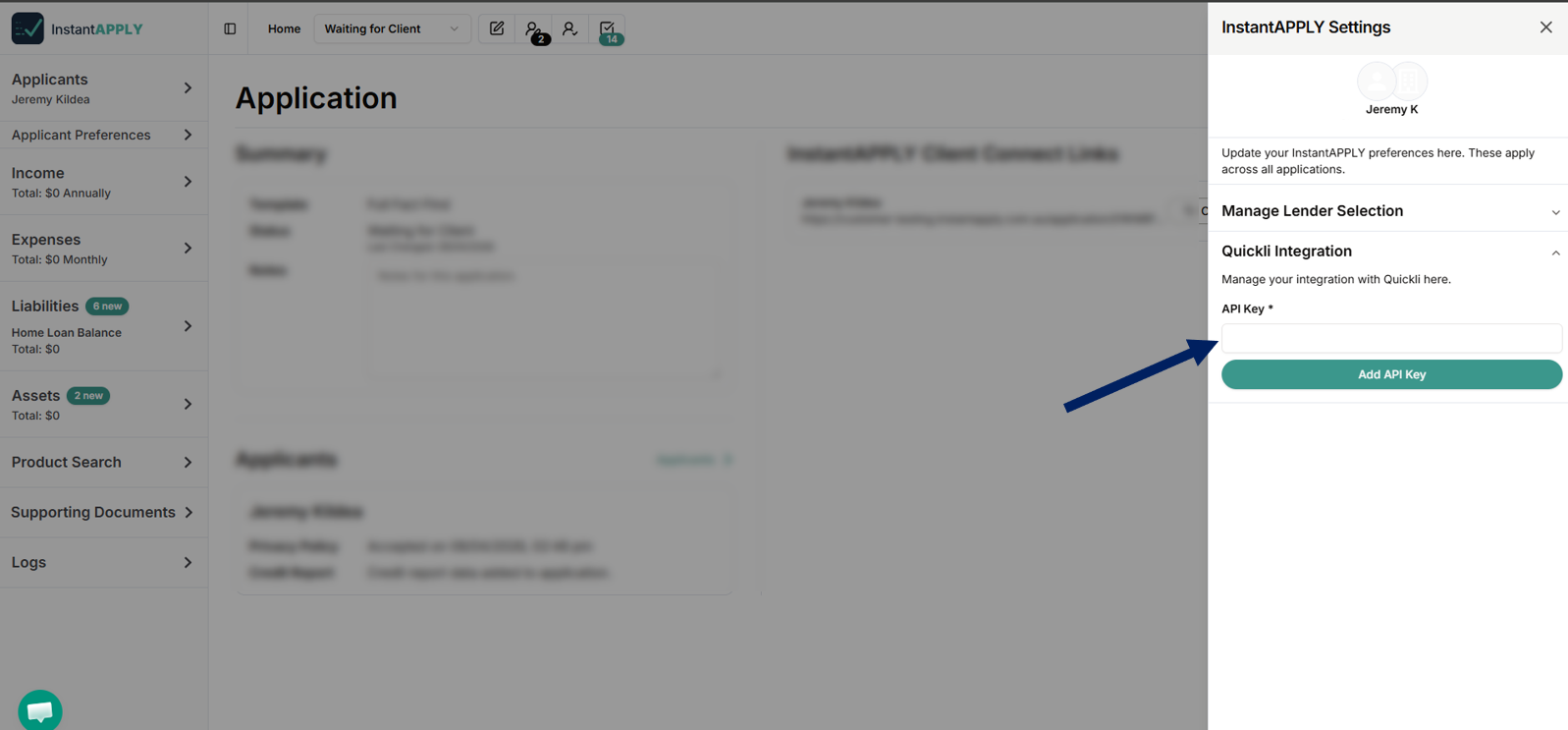
5. Click Add API Key.
🗒️ You can also select active lenders for InstantAPPLY here by clicking on Manage Lender Selection.