How to Request Additional Documents from your Client?
Use document requests to collect any additional supporting documents needed to progress the application.
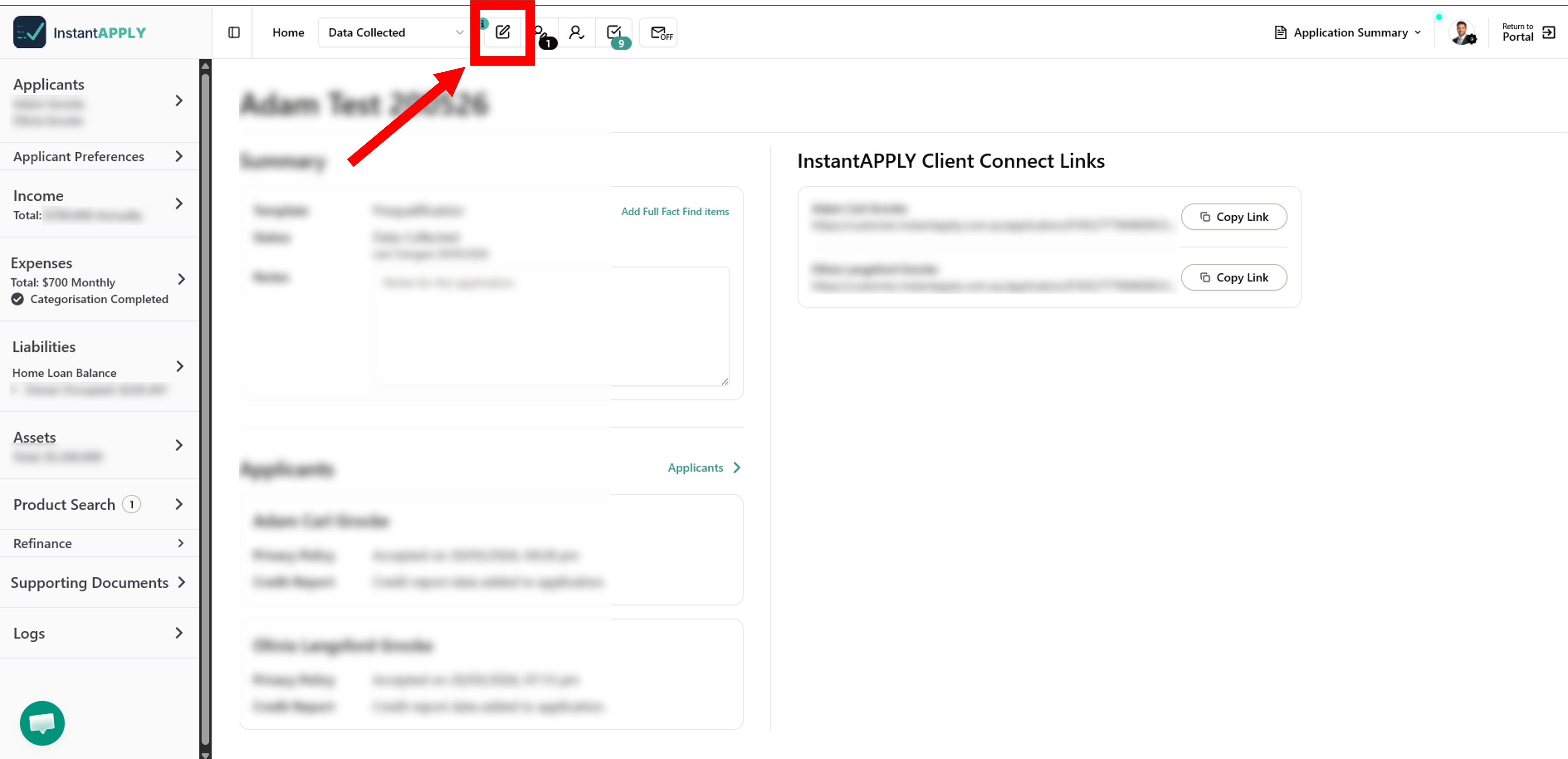
- Within the Appliciation, in the Top Navigation Bar, Click on Draft Requests.
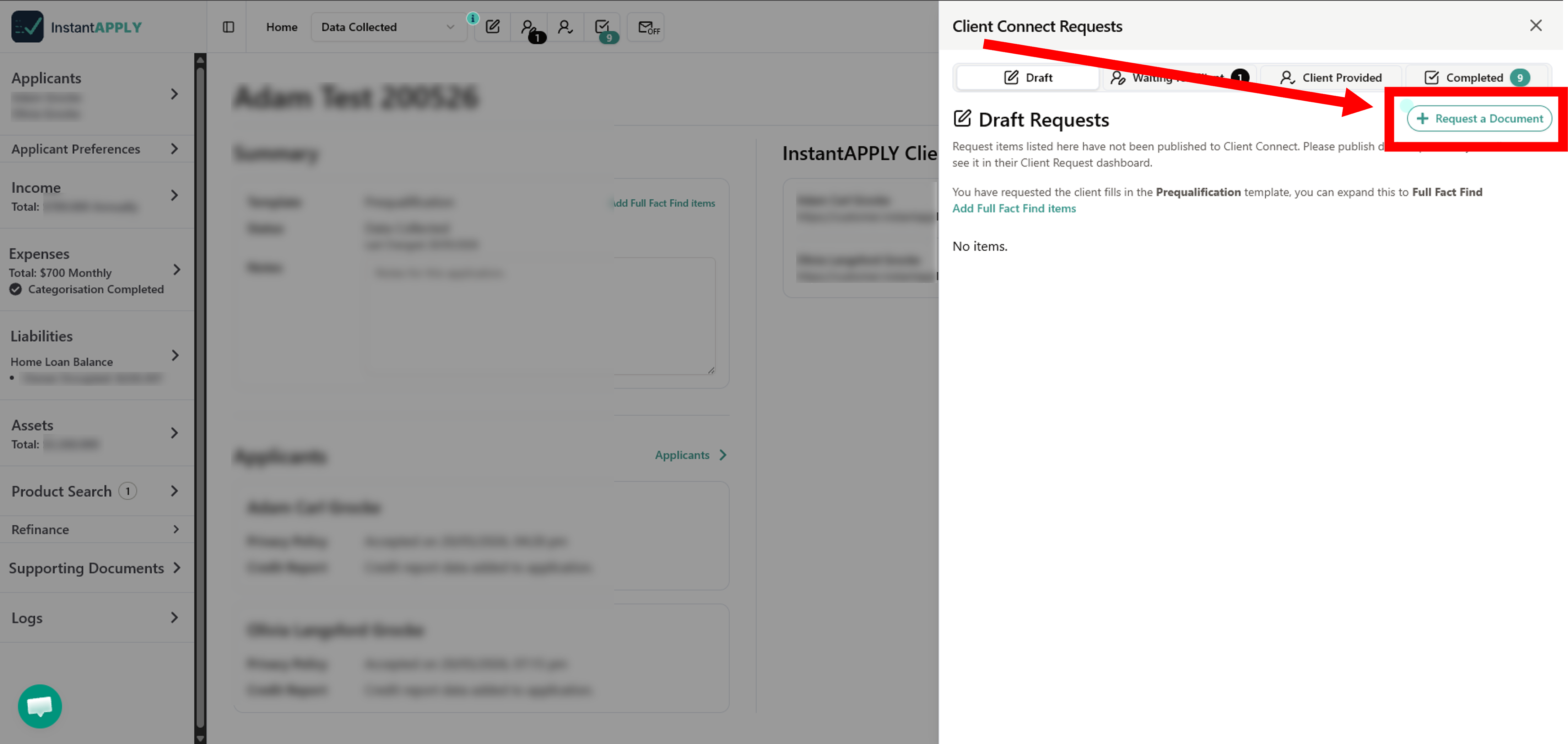
- In the Client Connect Requests window, Click on + Request a Document.
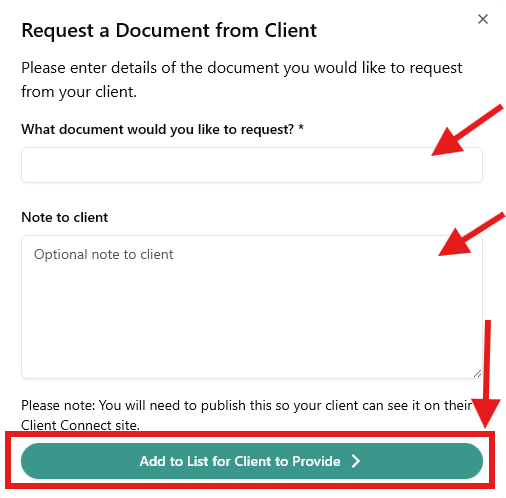
- Enter the details of the document you would like to request, and Click Add to List for Client to Provide.
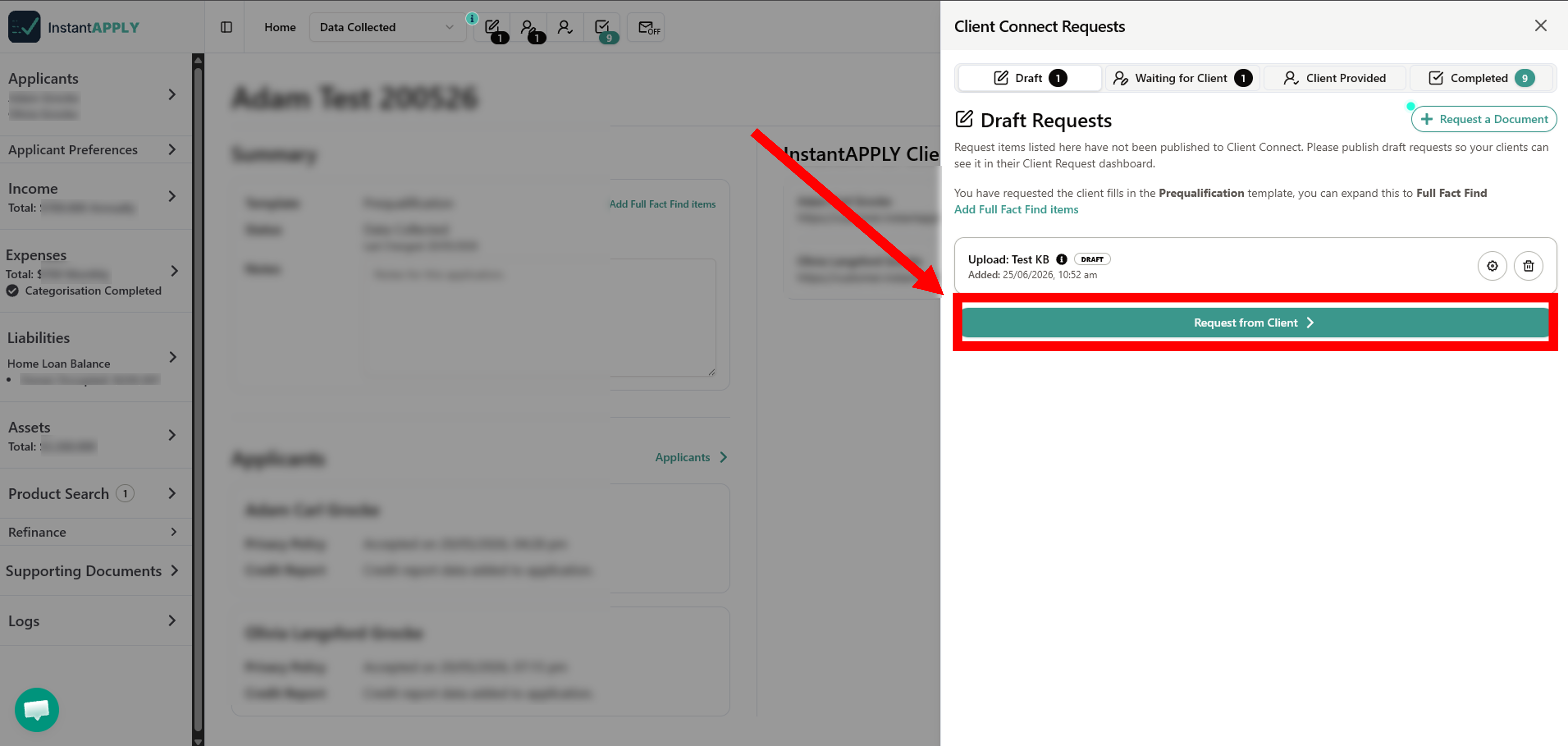
- This Draft will now appear in the Draft Requests Window. Publish this draft request so your clients can see it in their Client Request dashboard by clicking Request from Client.
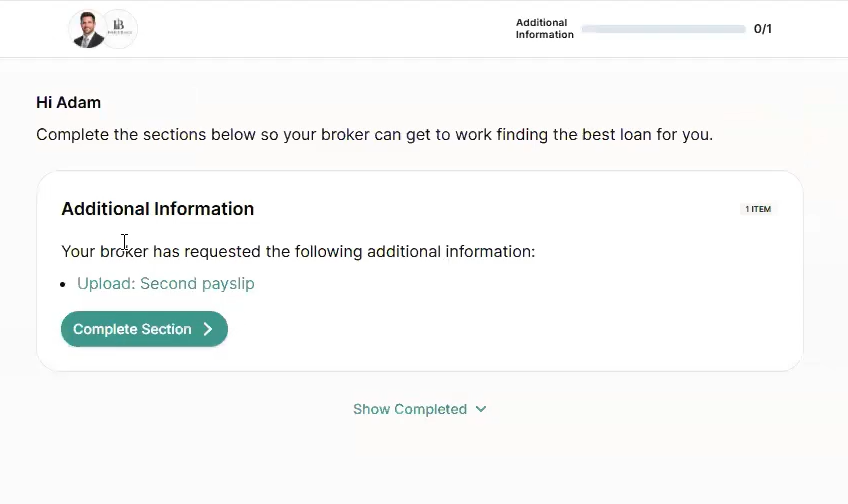
You can also edit or delete the draft using the cog and trash icons beside it. - Ask your client to revisit their Client Connect Link, and they should see this request.