How To Manually Upload Documents for Client
You can manually upload supporting documents to an application if they were provided directly by your client or weren't uploaded through Client Connect.
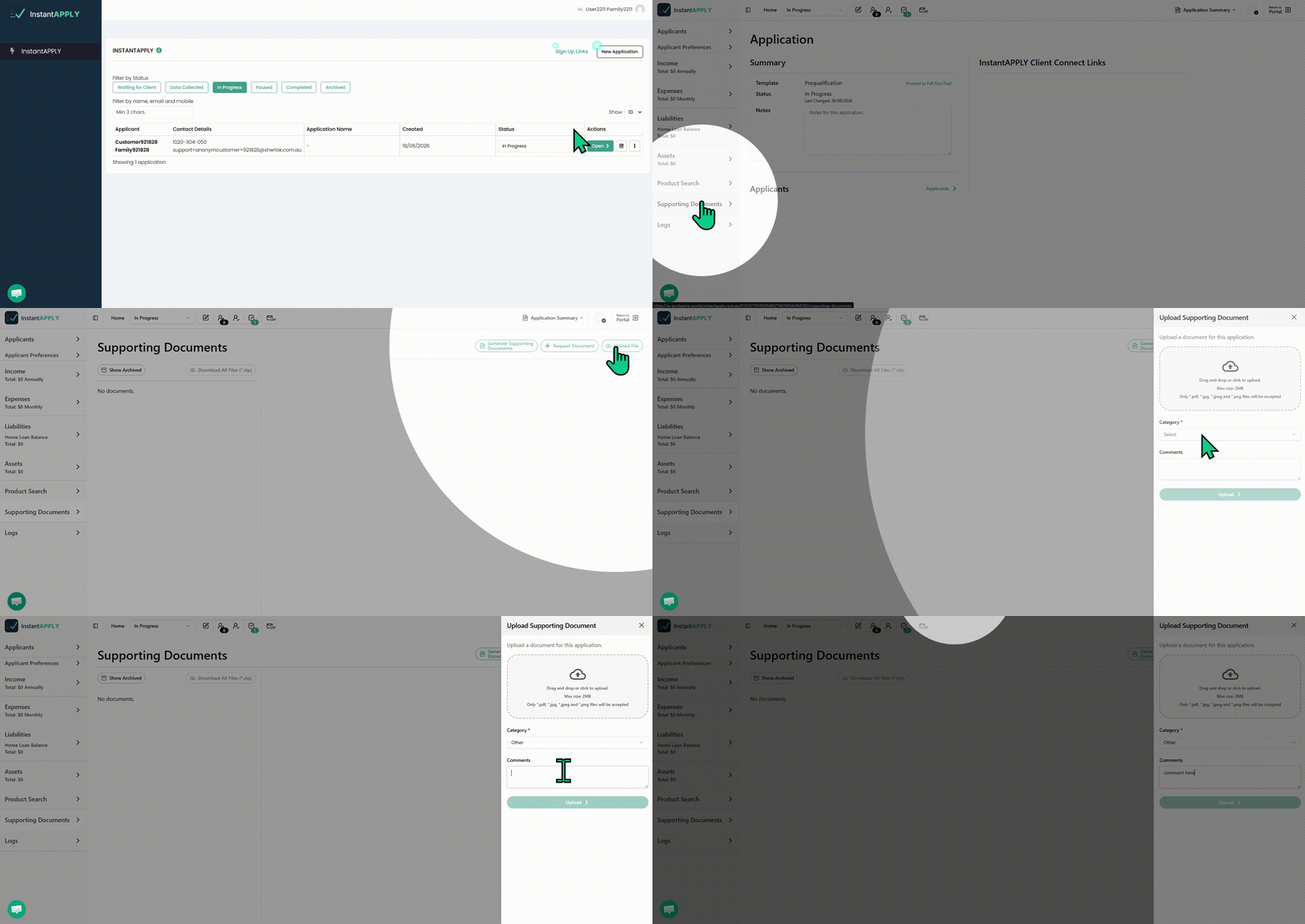
To manually upload documents to an application in InstantAPPLY by following these steps:
- Open an Application.
- Click Supporting Documents.
- Click Upload a File.
- Drag and Drop your File or Click the designated upload window (Max Size: 2MB).
- Select a Category (Payslip, Credit Report, Bank Statement, or Other).
- Add comments (Optional).
- Click Upload.
🎬 Need a visual guide? Watch the walkthrough below.