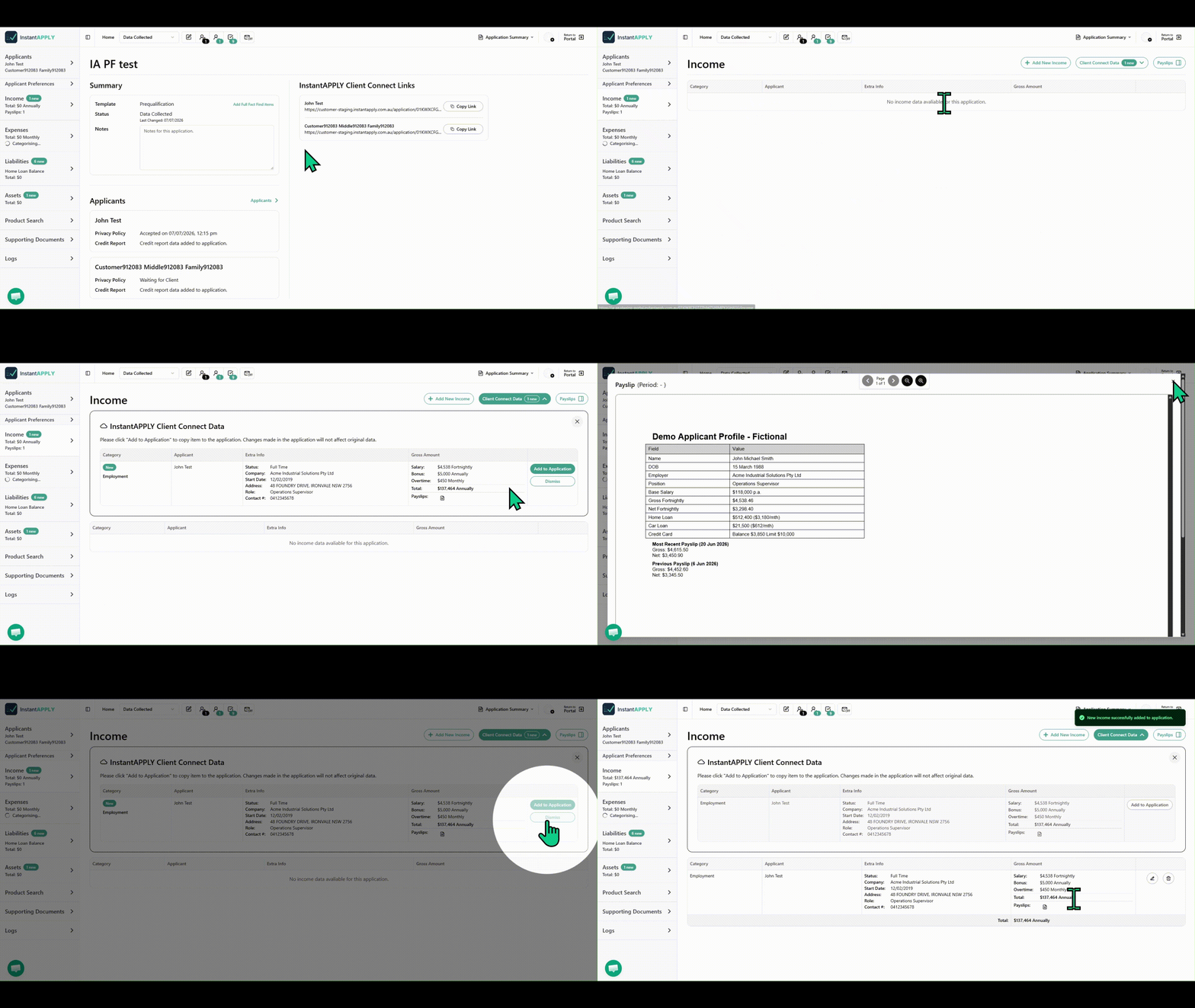
Review Client Submitted Income
InstantAPPLY imports and organises client income ready for your review.
The Income module allows you to review and approve client-submitted income information before it is added to the application. This ensures you maintain control over the accuracy and quality of the data.
Follow the steps below to review the client's data:
- In the client's application, navigate to Income.
- Click Client Connect Data.
- Review the submitted income details. If a Payslip has been uploaded, you can also view it by clicking the Note icon.
- Choose one of the following:
- Add to Application – Imports the income information into the application.
- Dismiss – Removes the submission without updating the application. All dismissed data can later be re-added to an application.
- Add to Application – Imports the income information into the application.
🎞️ See visual guide here: