How Do I Manually Upload Payslips?
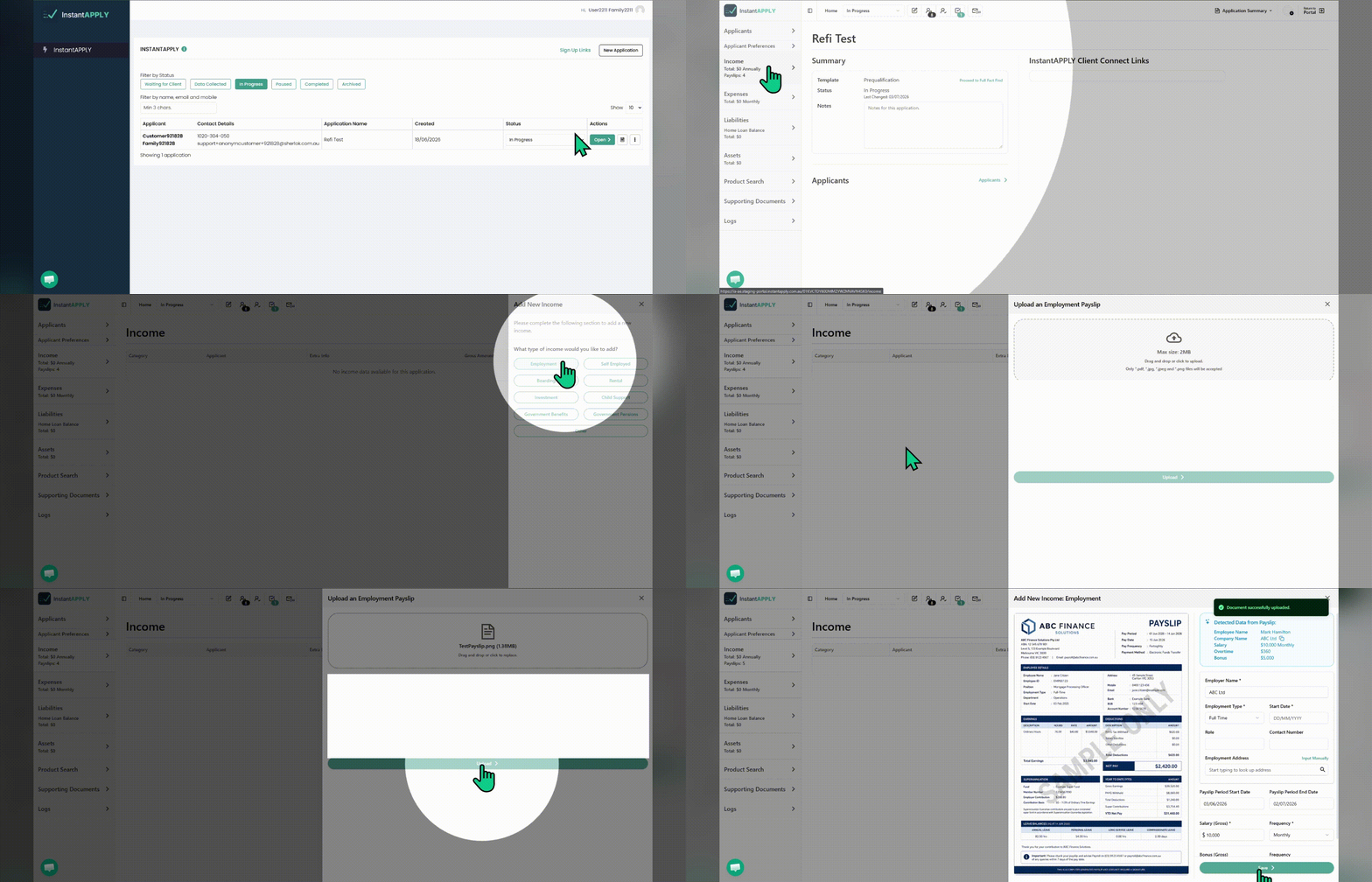
InstantAPPLY allows you to manually upload your client's payslips when required. This guide shows you how to add payslips to an application in just a few simple steps.
To upload payslips, follow these steps:
1. Open an application.
2. In the Left-hand Menu, Click Income.
3. Click Add New Income.
4. Select Employment, then Upload Payslip.
5. Drag and Drop or Click to Upload your file.
6. Hit Upload.
7. Review the details, and click Save.
🎞️ Watch the short walkthrough below to see how it's done.