Expense Categorisation
Why Brokers Use It
✅Automatically detects living expenses using Open Banking.
✅Eliminates manual expense questionnaires for clients. Refreshes expense data within a 12 month period without requesting new statements.
✅Allows detected expenses to be reviewed and overridden where appropriate.
✅Sends expense data directly to Quickli for servicing.
✅Automatically generates an Expense Categorisation Report for supporting documentation.
How It Works
The Expenses module analyses live Open Banking transaction data to calculate the client's average living expenses.
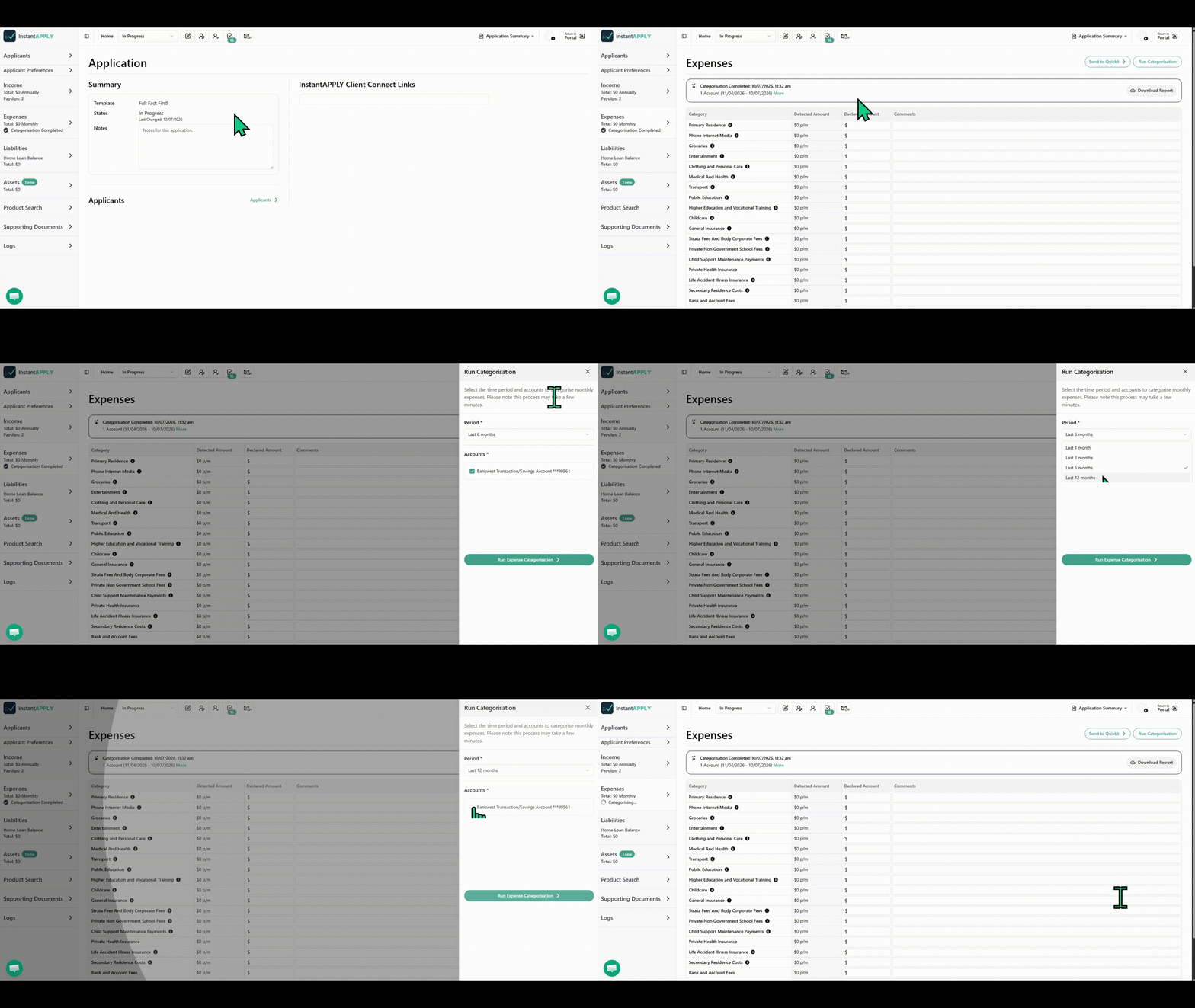
To Run an Expense Categorisation, please follow these steps:
- First, ensure the client has connected their Bank Accounts.
- Next, Open the Expenses module.
- Click Run Categorisation.
- Select:
- The analysis period (for example, 3, 6, or 12 months).
- The bank account(s) to include.
- The analysis period (for example, 3, 6, or 12 months).
- Click Run Expense Categorisation.
InstantAPPLY retrieves the latest transaction data and automatically categorises the client's spending into living expense categories.
Note: The categorisation uses live Open Banking data. You can rerun the process at any time, within a 12-month period, to refresh the client's expenses without requesting new bank statements or additional information from the client.
Review and Edit Expenses
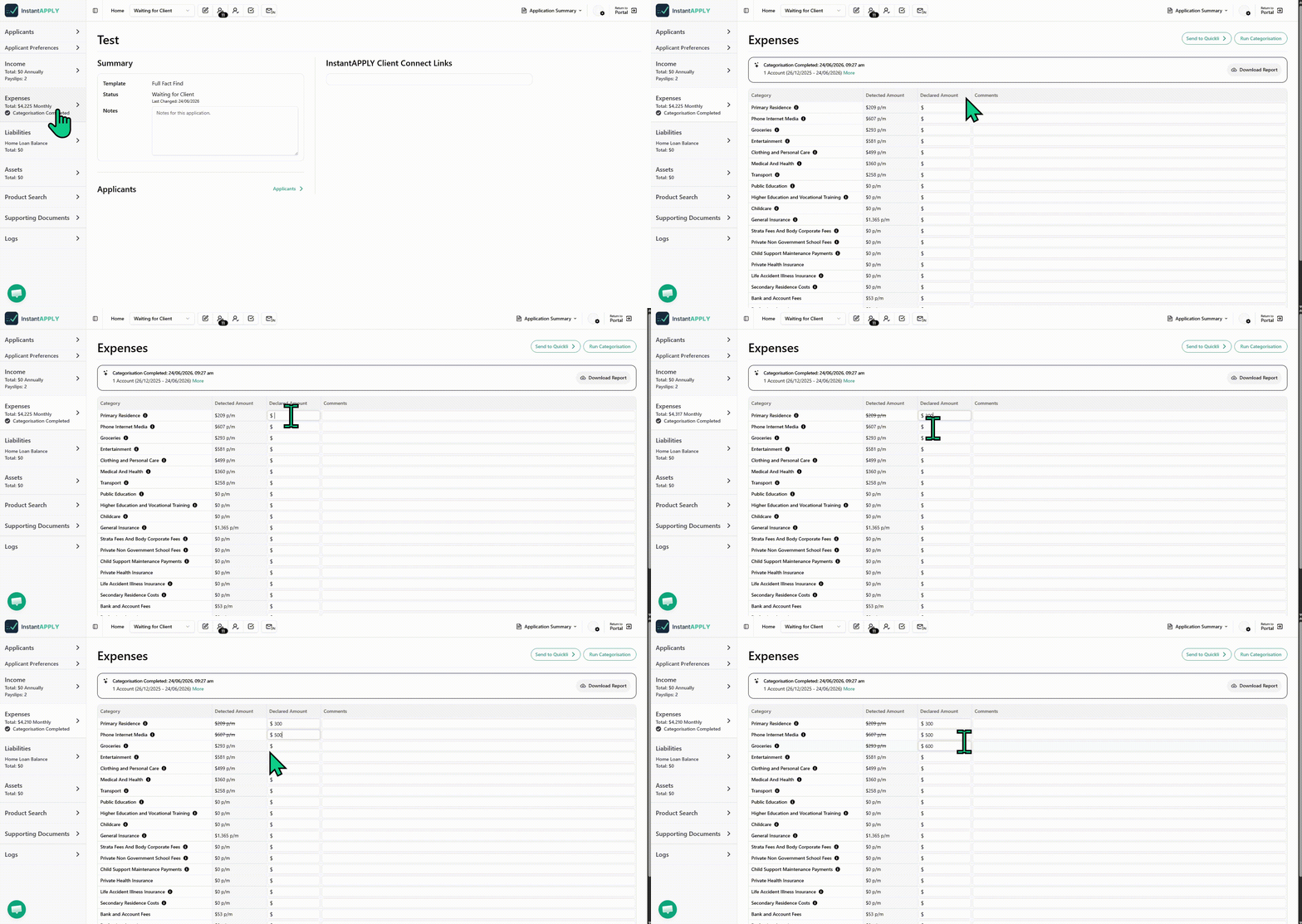
After categorisation, each expense category displays a Detected Amount based on the client's transaction history.
If required, you can override any detected value by entering a Declared Amount, giving you the flexibility to reflect the client's actual ongoing living expenses where appropriate.
For example:
- If the detected grocery spend is unusually high due to one-off events, you can enter the client's normal monthly grocery spend instead.
- When Overidden, Declared amounts are used instead of Detected amounts when sending data to Quickli.