How to Switch Application Templates?
You can switch from one published Template to another before the client starts* with the InstantAPPLY application.
To do this, Open the application, and follow either steps below:
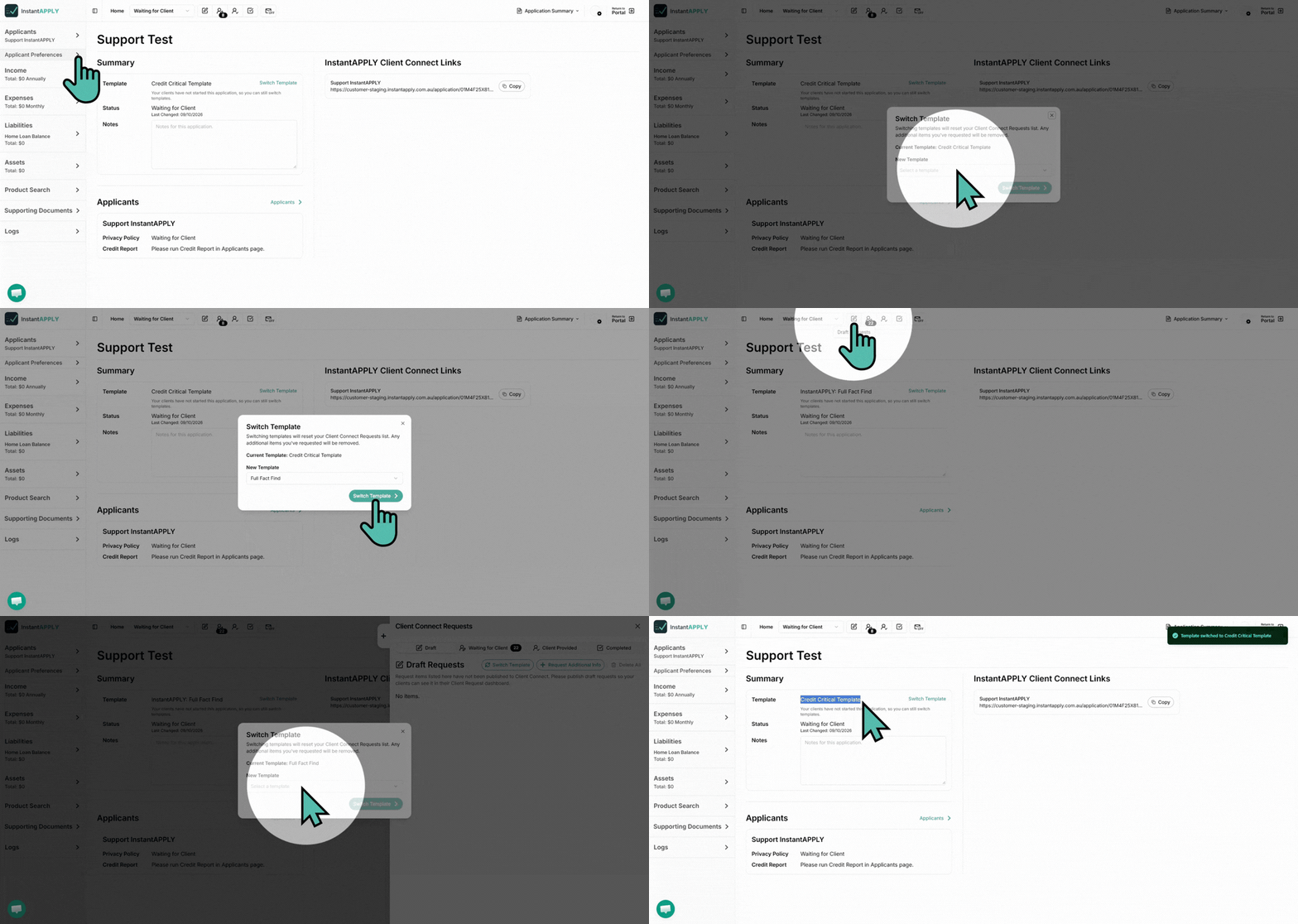
A. From the application homepage, click Switch Template under Summary;
OR
B. Click Draft Requests from the top navigation bar, then click Switch Template.
🎬 See the steps in action below:

The application remains locked to its current template version, and future Template Builder changes to said template will not apply.
You can still request additional information through Client Connect Requests.
✱
An application is considered started once the client has logged in and accepted the Terms and Conditions.