
How to Manually Run a Credit Report
If a Credit Report wasn't run by the client during the Client Connect, you can generate one from the Applicants module.
⚠️ Important: You must obtain the applicant's permission first before running a Credit Report.
📌This is only available if you've selected an Existing or Custom Application Template that includes the Credit Report feature (see below).
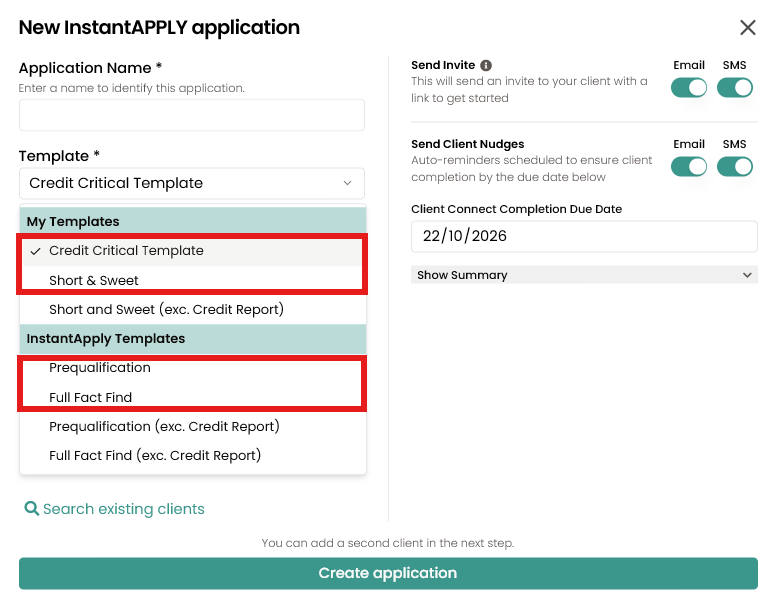
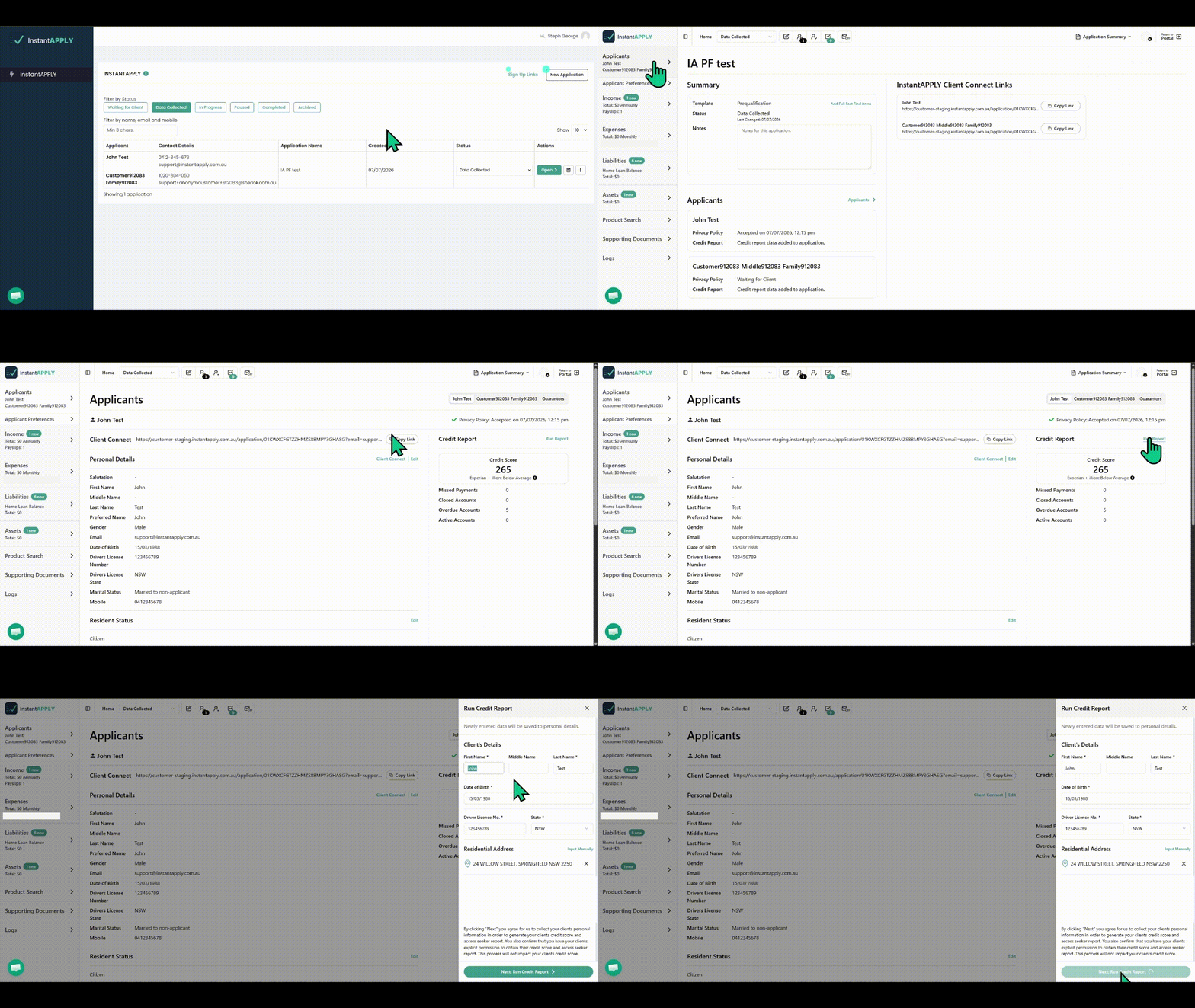
To run a Credit Report, please follow these steps:
- Open the application.
- Go to Applicants.
- Select the applicant.
- To the right-hand side of Credit Report, click Run Report.
- Enter the required details.
- Click Next: Run Credit Report.
🎞️View the visual guide here:
The report is generated in real time, and once complete, InstantAPPLY automatically:
- Saves the Personal Credit Report.
- Detects active liabilities and pre-fills them for your review (Liabilities module).
- Stores the report in Supporting Documents for future reference.