How To Manually Invite Your Clients to InstantAPPLY
Want to send the client invite yourself? The next step is to share the personalised application link with your client so they can begin submitting their details and uploading the required documents.
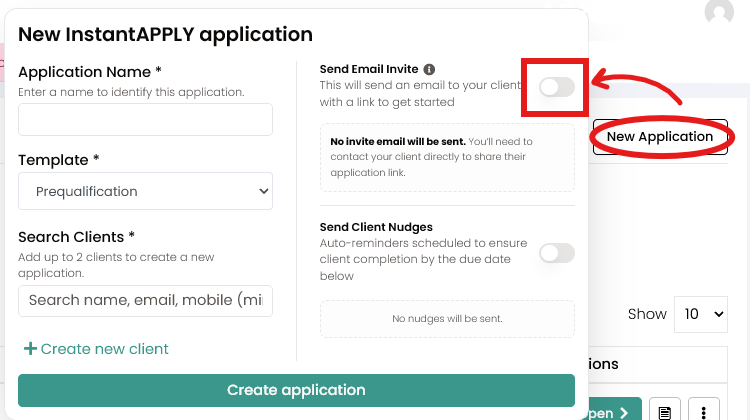
If you created the invitation with Send Invite Email turned OFF, you'll need to send the Client Connect Link to the client yourself.
You can share the link via SMS or email so they can access it and begin providing their information.
To find the Client Connect Link, access it in two ways:
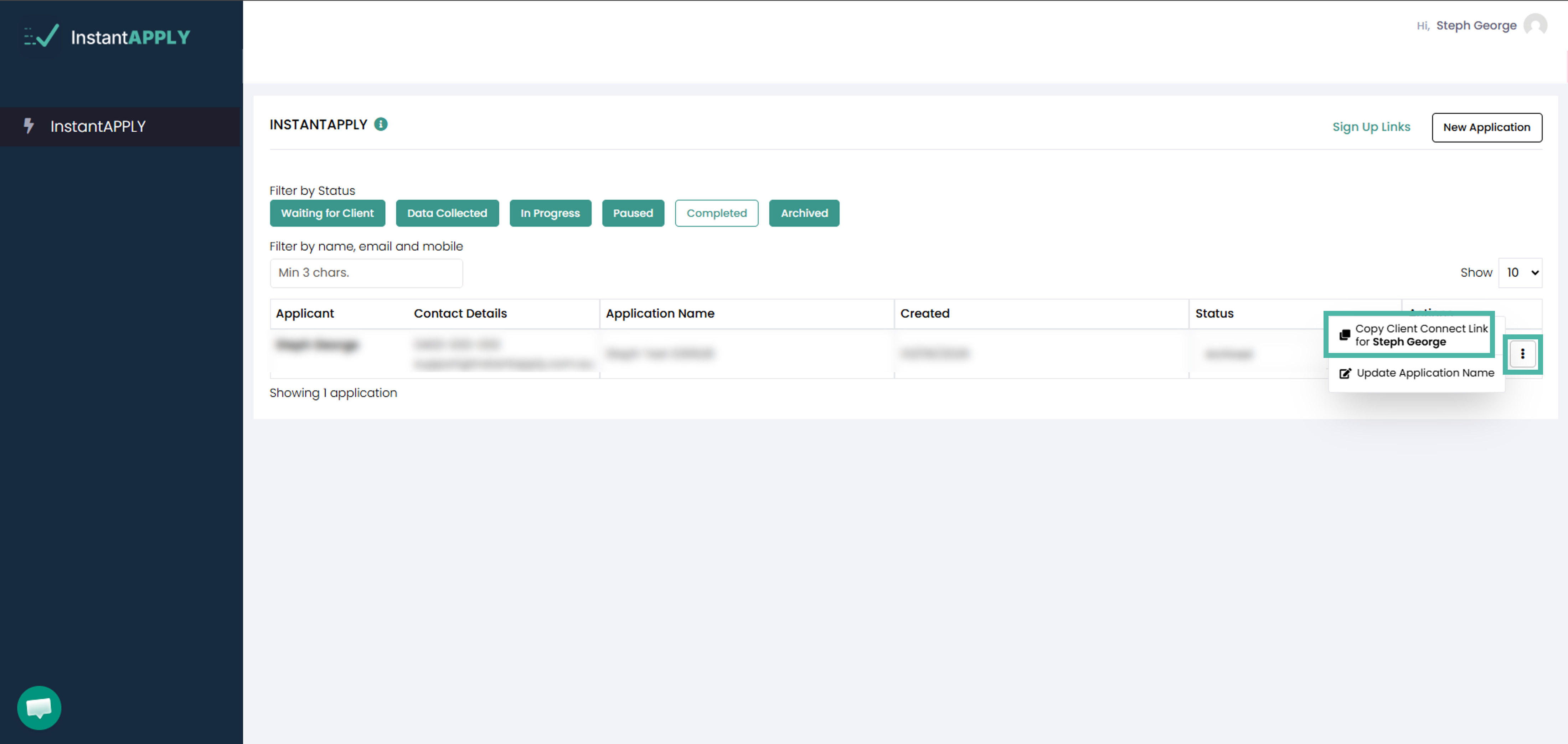
1. From the Dashboard (Applications List):
a. Locate and select the relevant application.
b. Click the three-dot button.
c. Select Copy Client Connect Link for {Client Name}.
d. Paste the link into an SMS or email and send it to your client to begin their application.
2. From within the Application:
a. Open the relevant application.
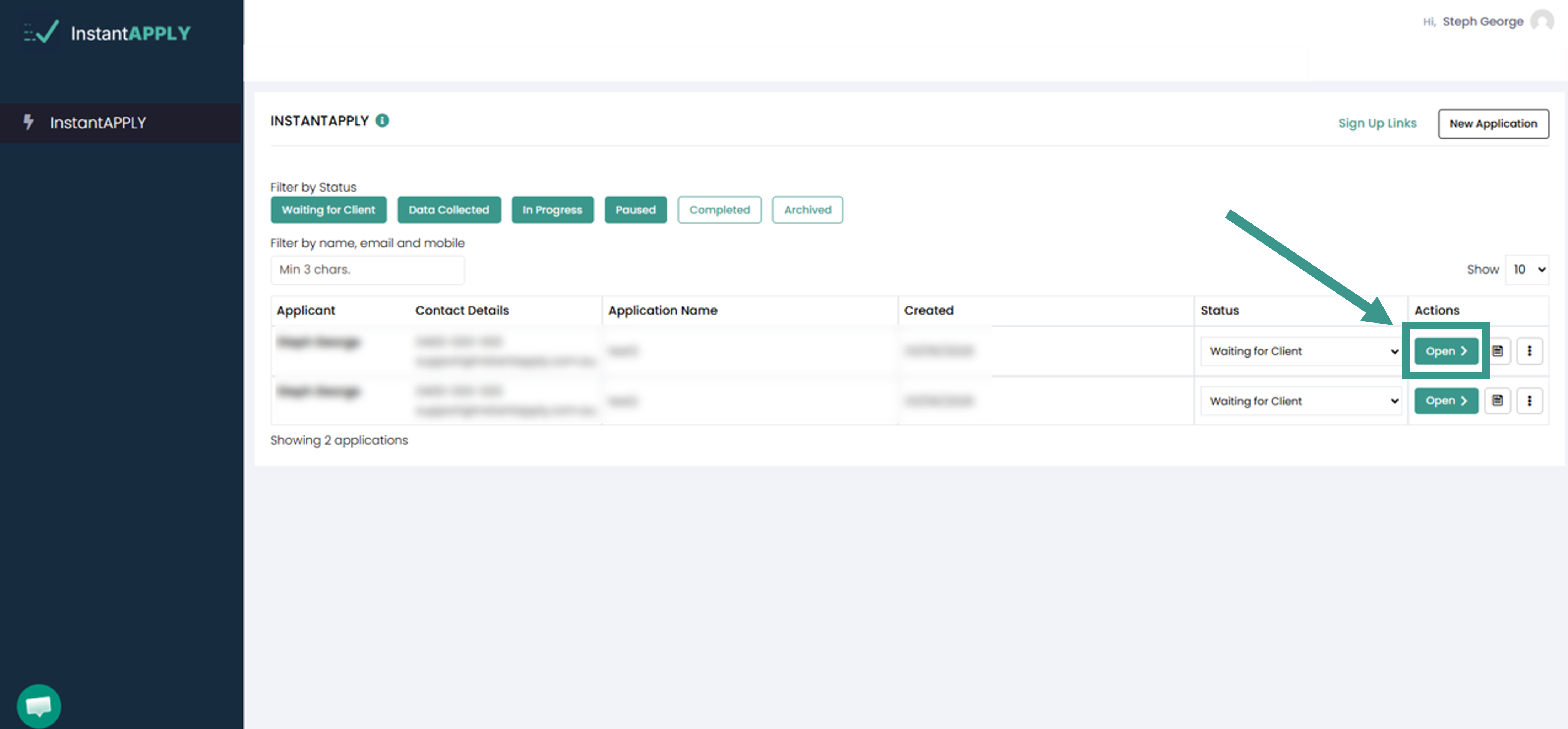
b. Click Open.
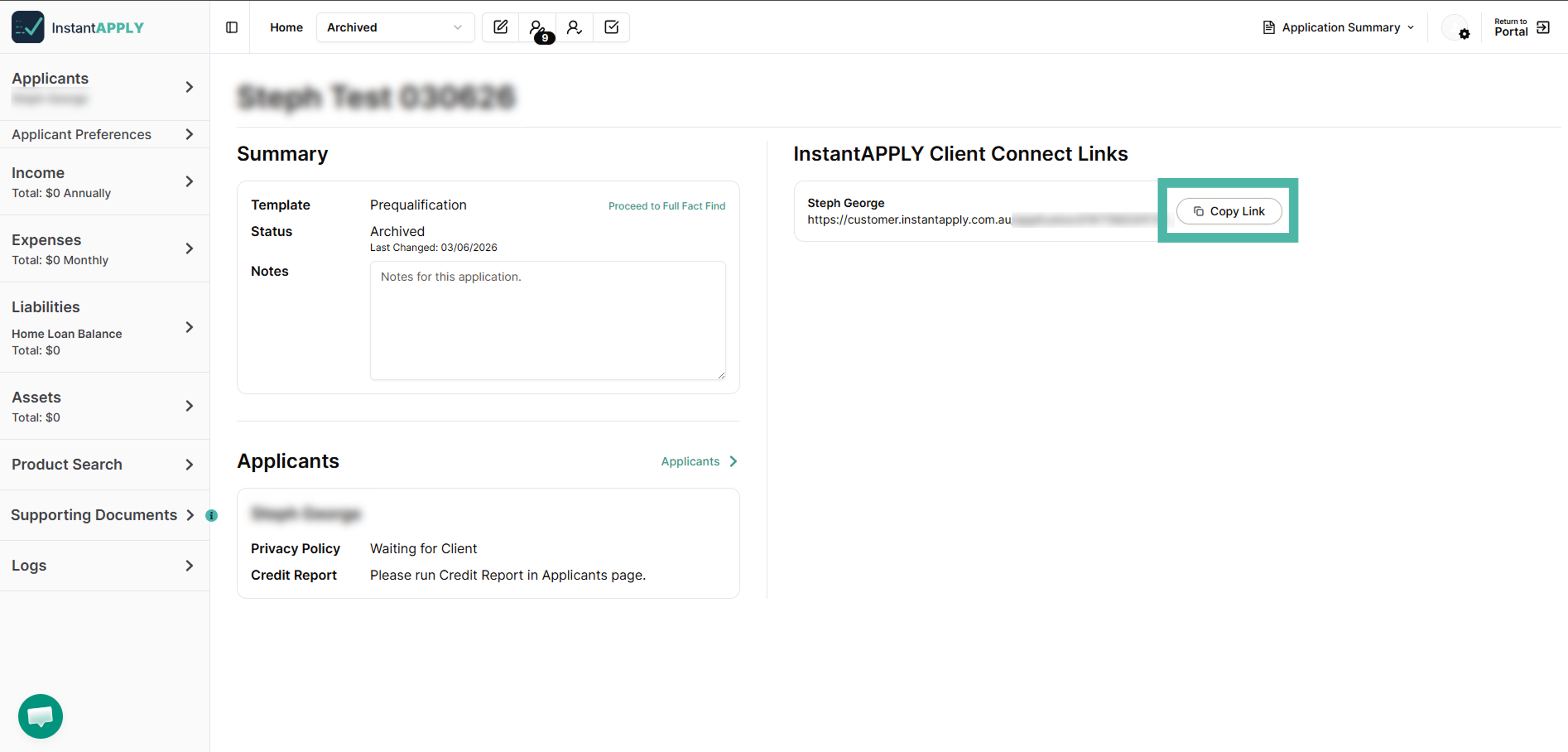
c. Under InstantAPPLY Client Connect Links, select Copy Link.
d. Paste the link into an SMS or email and send it to your client to begin their application.