Import Expenses from Quickli
InstantAPPLY allows you to bring expense data across from Quickli, reducing need for manual entry.
🗒️Note: First ensure you've integrated your Quickli Account. For more information, click this guide.
Importing Expenses will also only work after you have first pushed the data from the InstantAPPLY to Quickli. Importing will overwrite the declared expenses currently on the application.
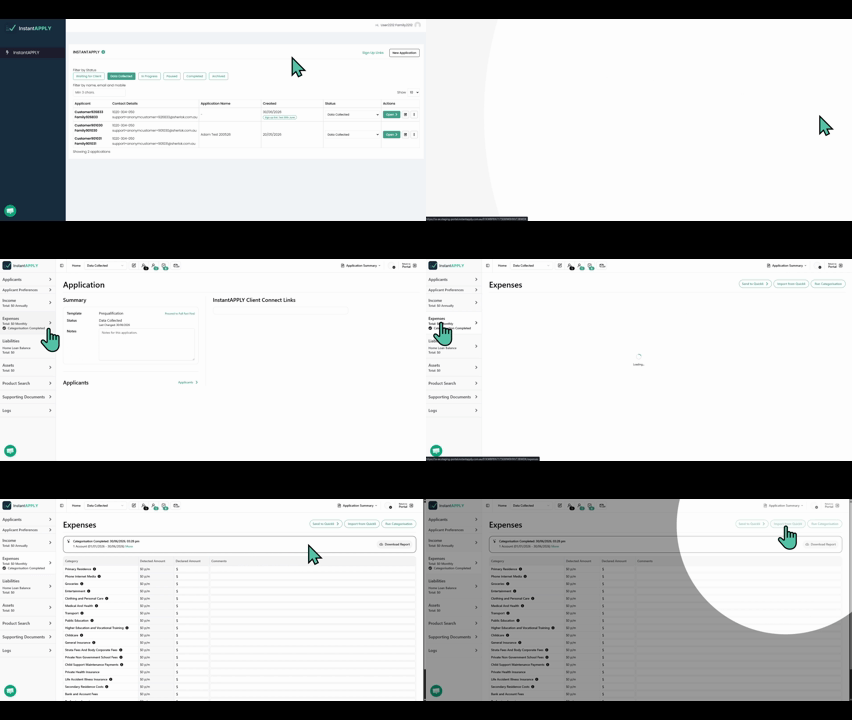
- From the Dashboard, Open an InstantAPPLY application.
- In the Left Navigation Bar, Click Expenses.
- Click on Import from Quickli.
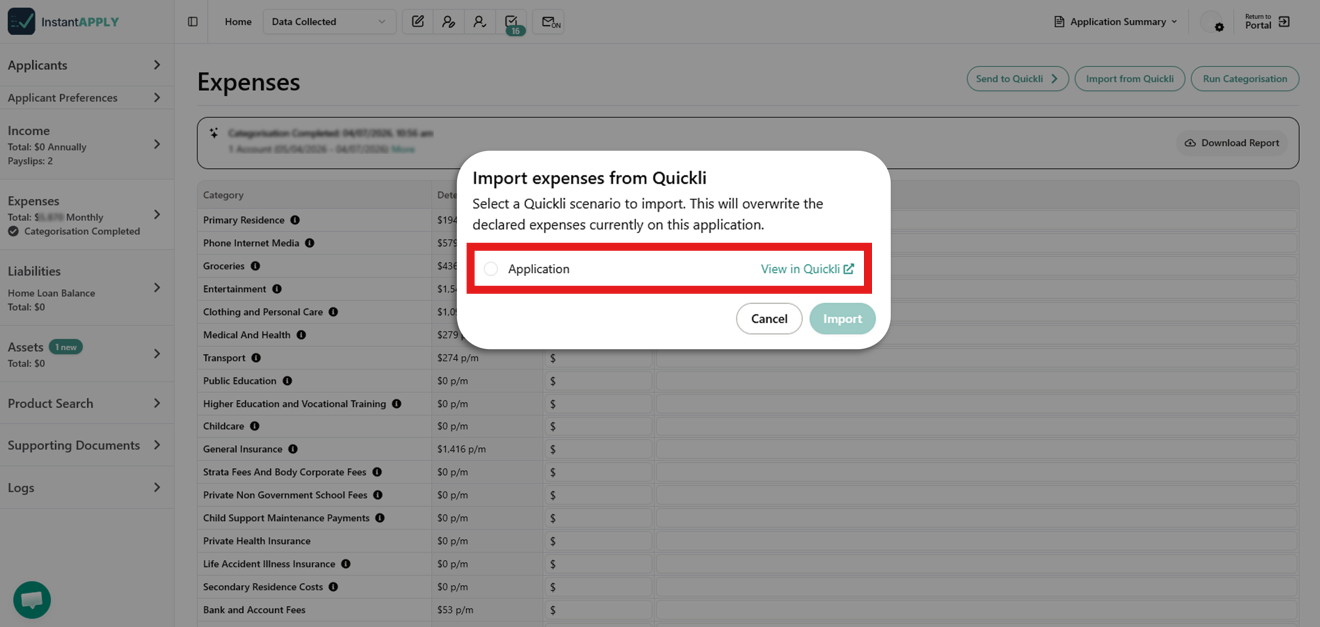
🗒️ If you haven't yet, you'll be prompted to install the API from Quickli to InstantAPPLY. - A window for you to select an Application will appear. Select View in Quickli.
- Select your Application, then Select Import.