
How can my Clients Link additional Bank Accounts in InstantAPPLY?
Clients can connect additional bank accounts to their InstantAPPLY application using their original Link.
Your client can revisit the same InstantAPPLY application link they originally used. Even if the application has been submitted, they can still connect additional bank accounts.
To add another bank account, ask your client to:
- Open their original InstantAPPLY application link.
- Navigate to Banking & Liabilities (If not found, click Show Completed first).
- Click View Section.
- Select Connect Your Bank Accounts.
- Follow the prompts to connect the additional account, then click Confirm & Continue.
▶️Check this demo below:
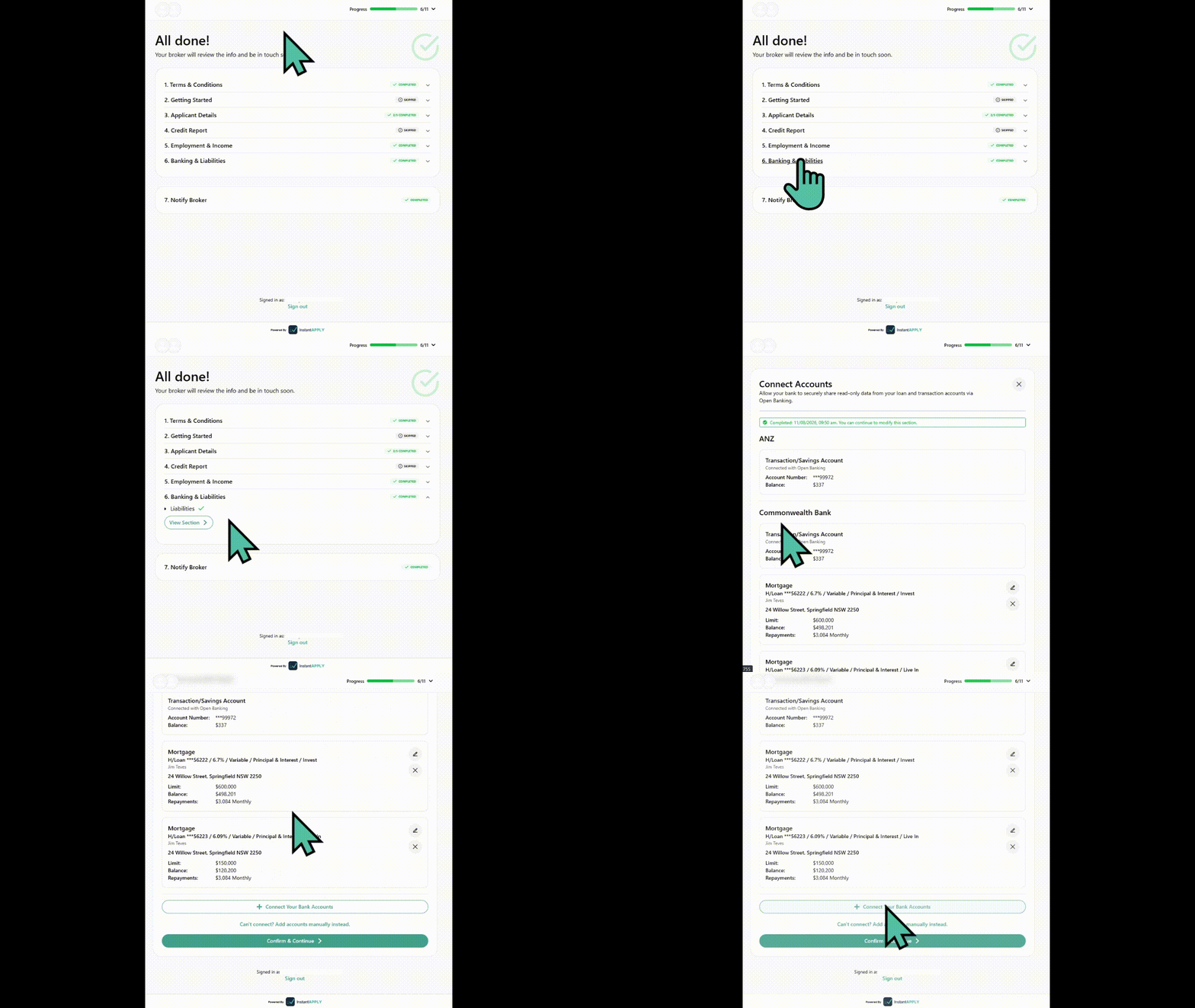
Once connected, the new banking data will appear in the application for review.