Client Guide: How to add a co-applicant in the Client Connect portal
Learn how to add a second applicant to your application through the InstantAPPLY Client Connect Portal, with step by step instructions to ensure all applicants can complete their details.
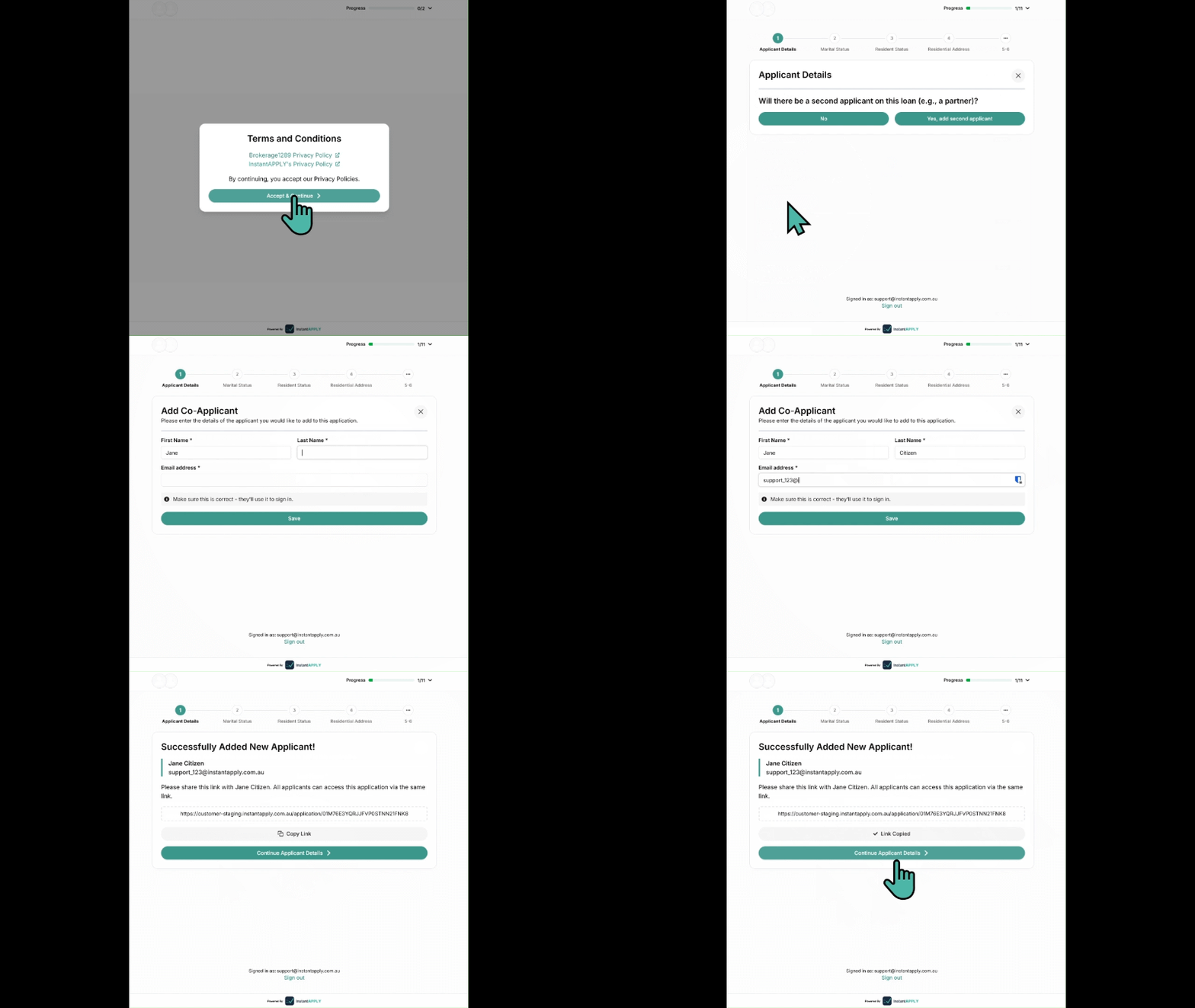
To add a second applicant in the Client Connect portal, follow the steps below:
1. Open the Client Connect Link, Verify your email and Accept the terms and conditions.
2. Under item 3. Applicant Details section, click Complete Section.
3. You'll be prompted to add a second applicant (e.g., a partner).
Choose Yes, add second applicant.
Note: The co-applicant must use a different email address from the primary applicant. Each applicant must have a unique email address.
4. Enter the name and email of the applicant you would like to add.
5. Click Save.
6. Copy the link and share with the second applicant to complete. Both applicants can access and complete the same application using a single shared link.
7. Complete the section and go through all items in the Client Connect Link.