
How to Re-request Skipped or Rejected Items
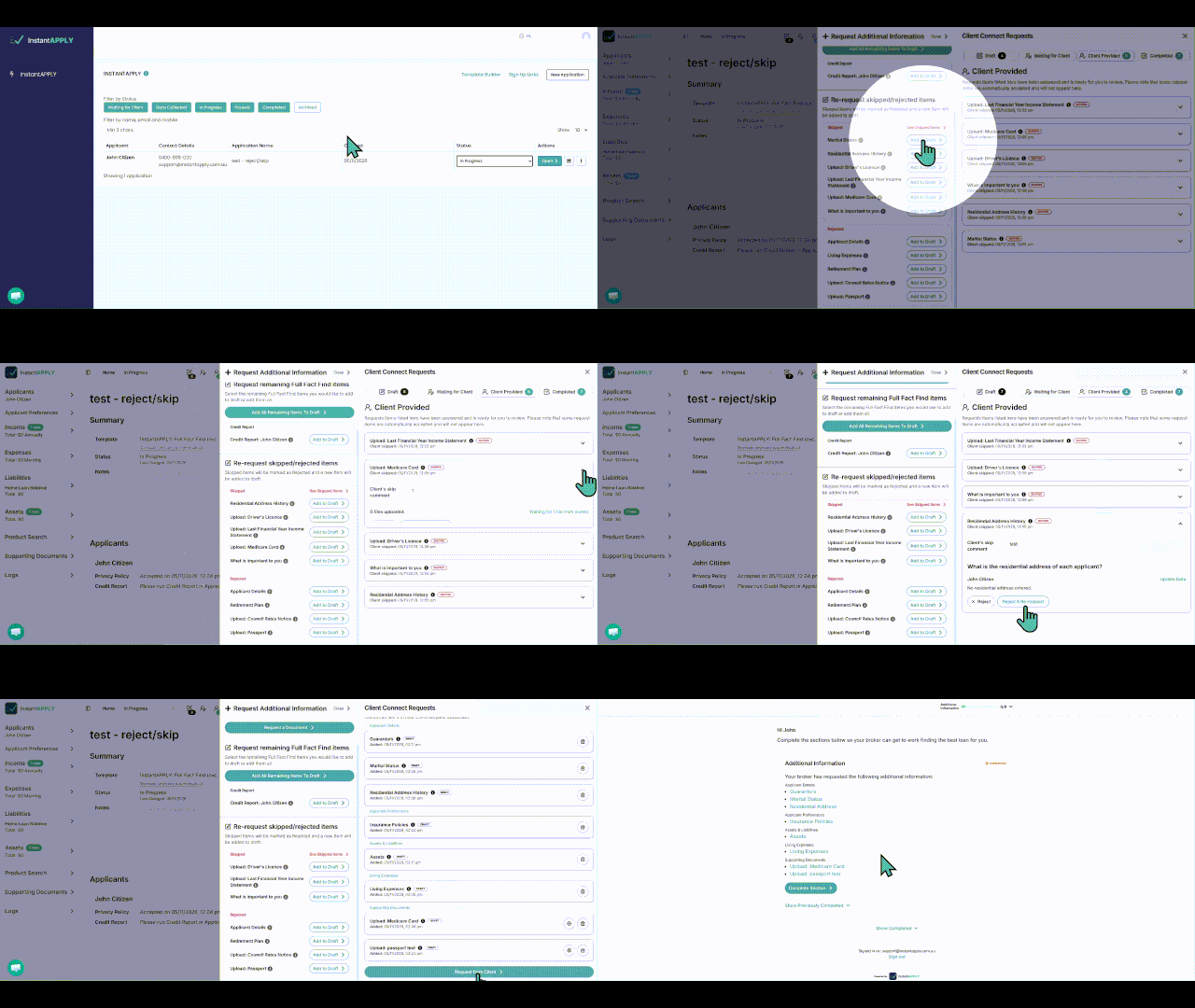
Within the Client Connect Link, clients may skip or reject requested items, such as supporting documents or additional information. Brokers can easily re-request these items through InstantAPPLY without restarting or creating a new application.
To resend or re-request skipped or rejected items, please follow these steps:
- From your Dashboard, Open the application.
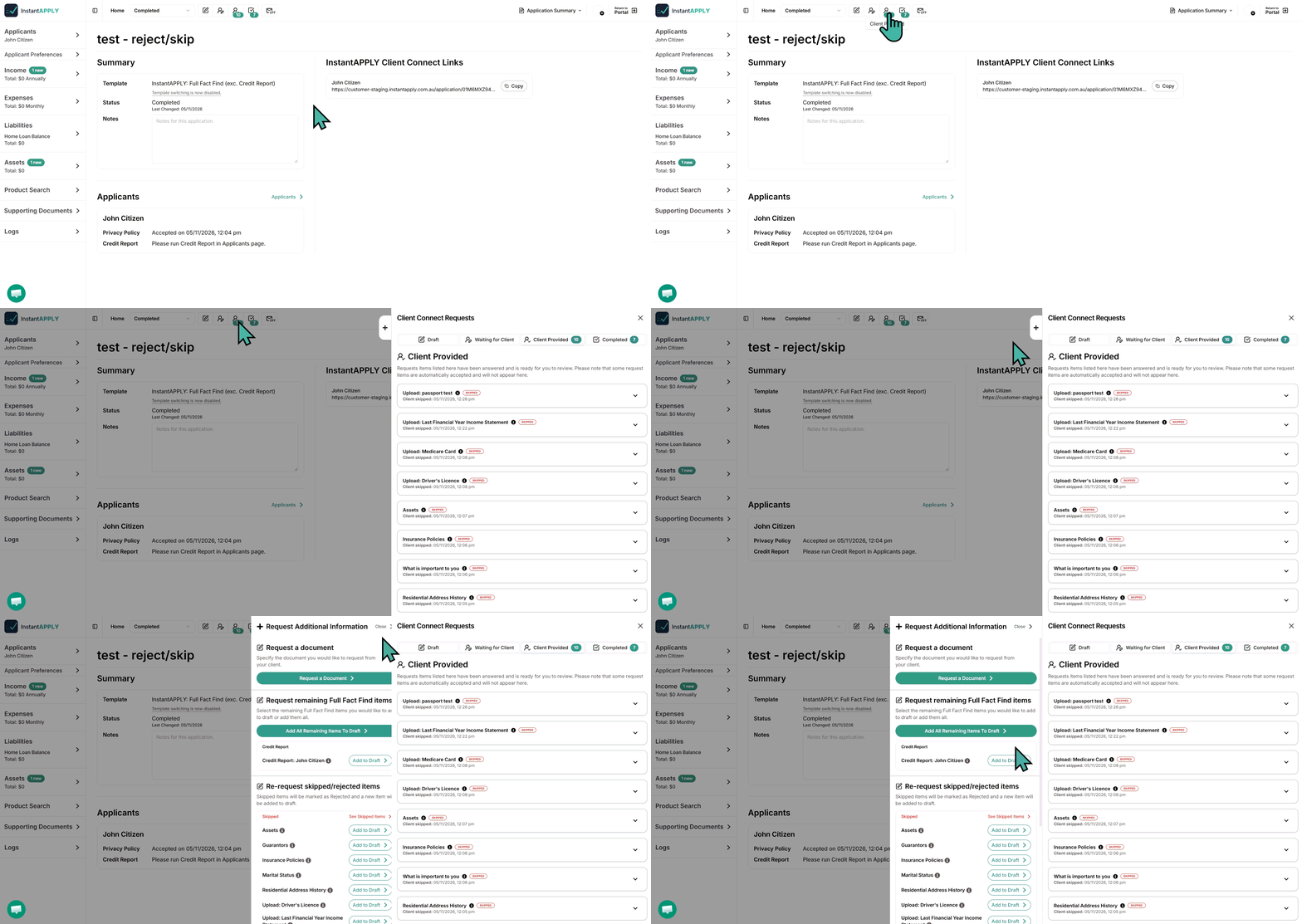
- In the application homepage, click Client Provided from the top navigation bar.
- A new window will pop-up showing a list of items the client has skipped.
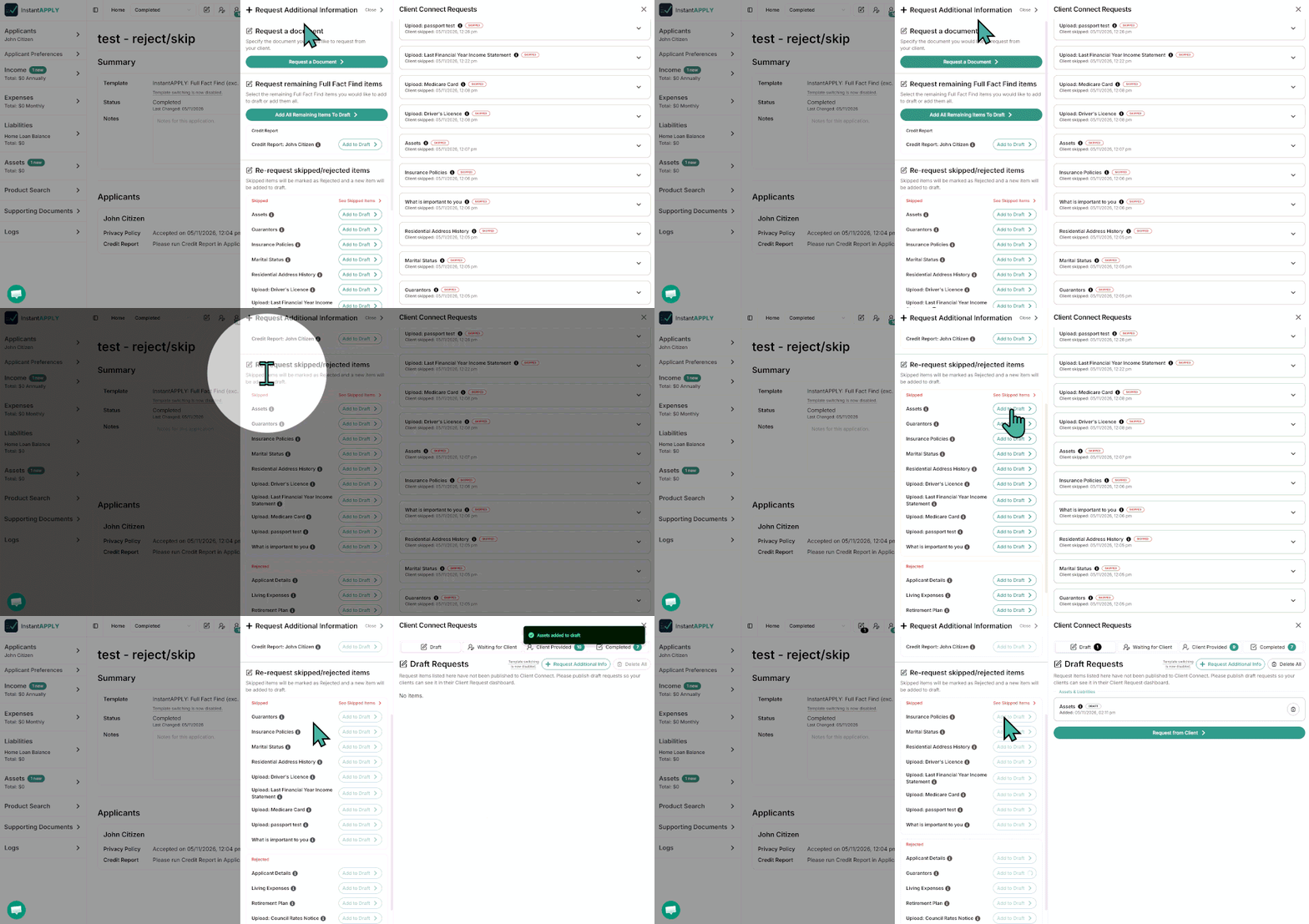
To see an overview of this list, click on the + (Request Additional Information) button of this new window, and see Re-request skipped/rejected items. - To resend and re-request these items, you can either do the following:
- From the + Request Additional Information > Re-request skipped/rejected items section:
Click Add to Draft for each skipped item you're requesting. - From the Client Connect Links > Client Provided section:
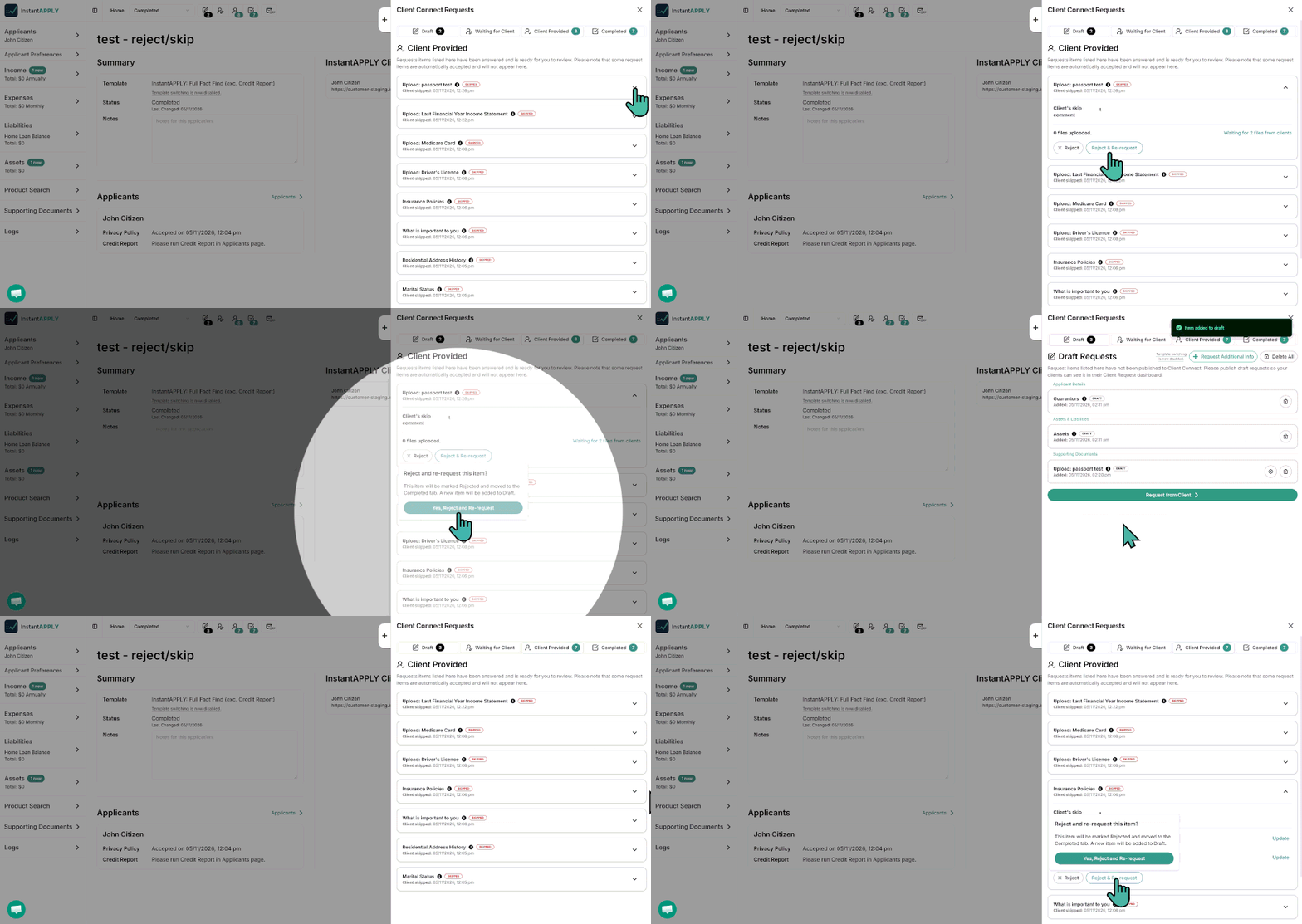
Expand a skipped item, and click Reject & Re-request and confirm.
TIP: You can also update any skipped items yourself by clicking Update then Save (applicable items only).
- From the + Request Additional Information > Re-request skipped/rejected items section:
- Doing Steps 4A and/or 4B above, will add those items into the Draft Requests section.
NOTE: Items listed in Draft Requests are not yet published to Client Connect. - Publish these draft requests by clicking Request from Client, so your clients can see it in their Client Request dashboard.
Note: We recommend waiting until all applicants have completed and submitted their applications before rejecting/re-requesting items. - Confirm requesting all draft items and notifying them via Email and/or SMS by toggling said buttons.
- Finally, click Request & Notify Client.
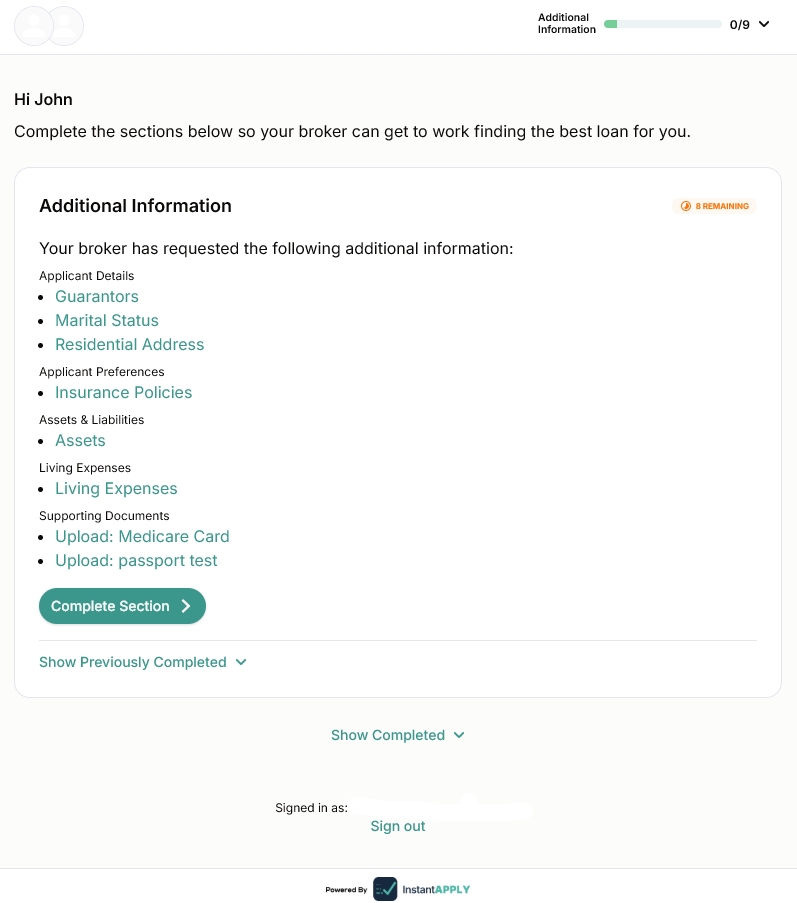
- Depending on what was toggled, you're client will receive an email and/or sms.
Ask them to revisit their Client Connect Link and provide or complete these items.

🎬For the full demo, please see below:
*Skipped items are items the client bypassed in the Client Connect Link portal.
*Rejected items are items the broker deleted from the Draft Requests Module.