New Application: Email & SMS Reminders
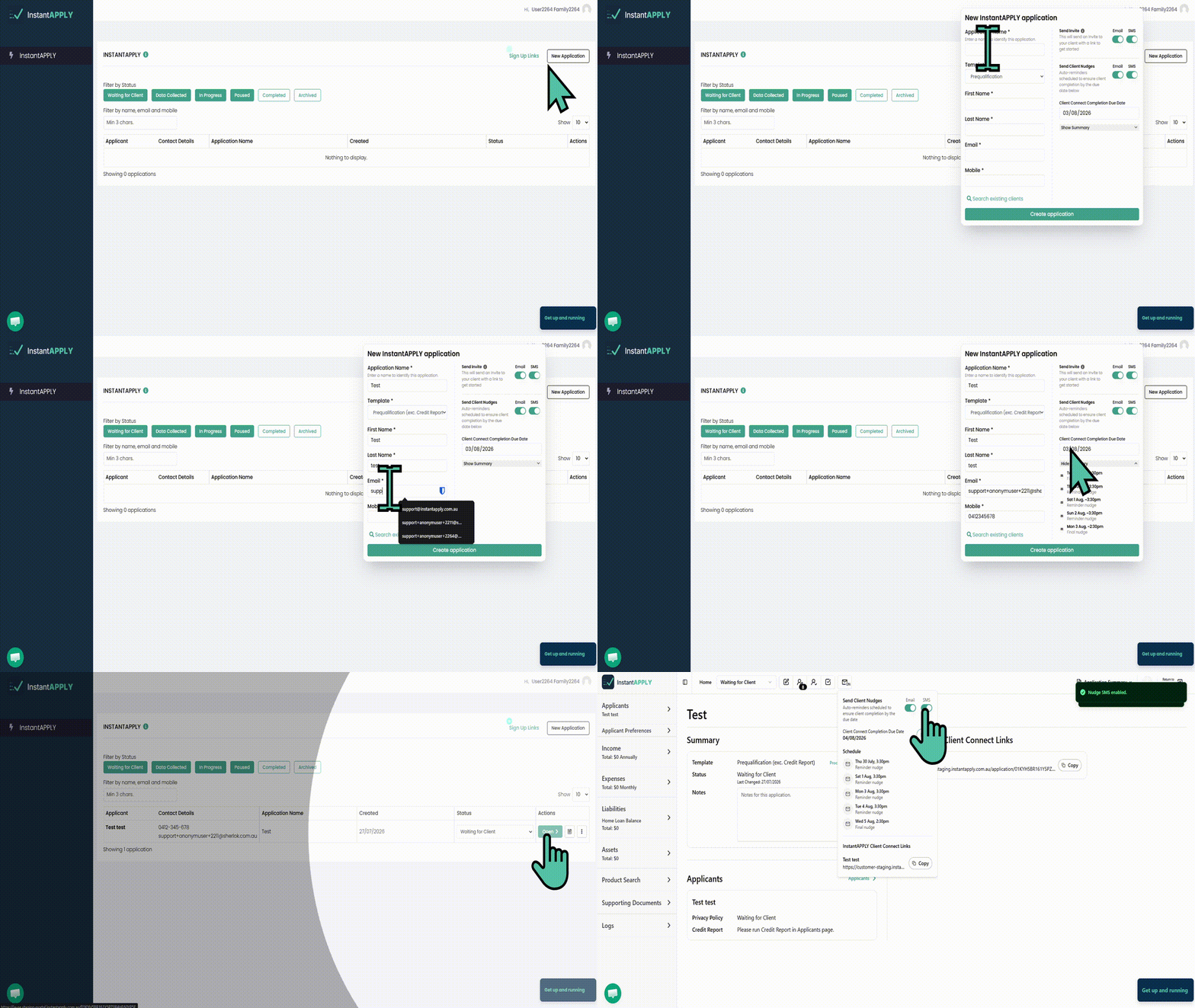
To send SMS invites and reminders, please follow these steps:
1. Click New Application
2. Make sure SMS invite and nudges is ticked On (Green).
3. Name the app, choose the template and fill in the client details.
4. For the reminders, set the Client Connect Completion Due Date.
Note: Clients will also receive SMS reminders to complete the fact find until the Client Connect completion due date. You can turn this off at any stage later.
5. Once you've reviewed the information, click Create Application.
6. Your client will receive an SMS (also an Email with a link) to begin providing their information.
🎞️ Here's a quick guide to help:
Turning Off SMS nudges
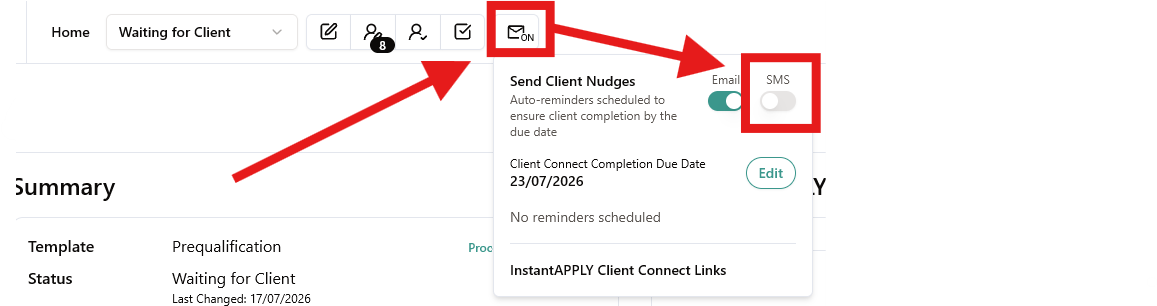
After an application is created, you can turn SMS nudges/reminders off anytime in the Homepage within each application (see below).