Manually Add a New Client Income
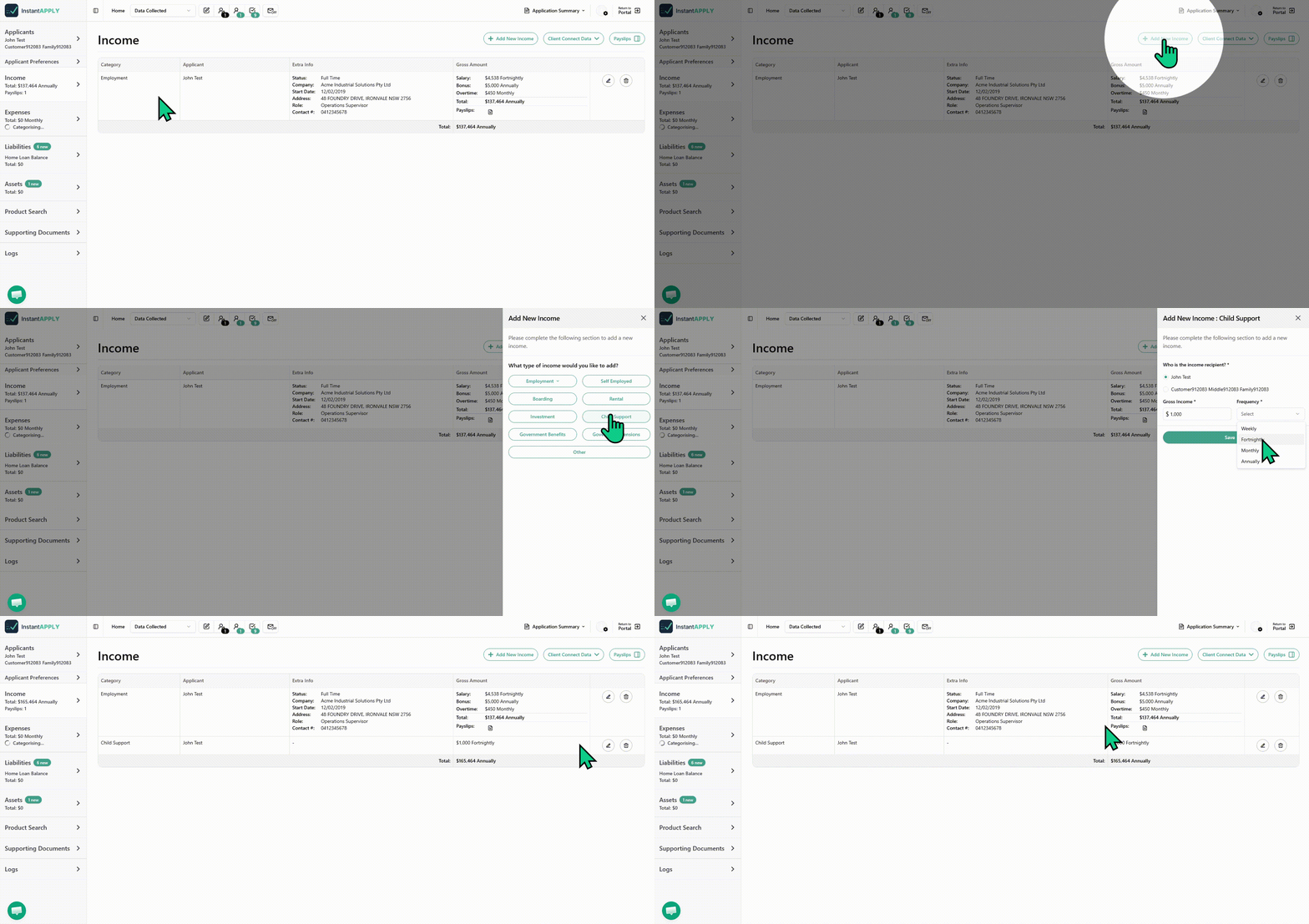
If you want to add additional income to the InstantAPPLY application, follow these steps below:
- In the Income section, Click Add New Income.
- Select the Type of Income you'd like to add.
- Input the New Income Data, or upload a file corresponding to the income.
- Click Save.
🎞️ For more information, check the visual guide below: