Send Client Connect Invites and Schedule Client Reminders
Invite your client to Connect and Schedule Reminders Directly in the App to help them complete the required information.
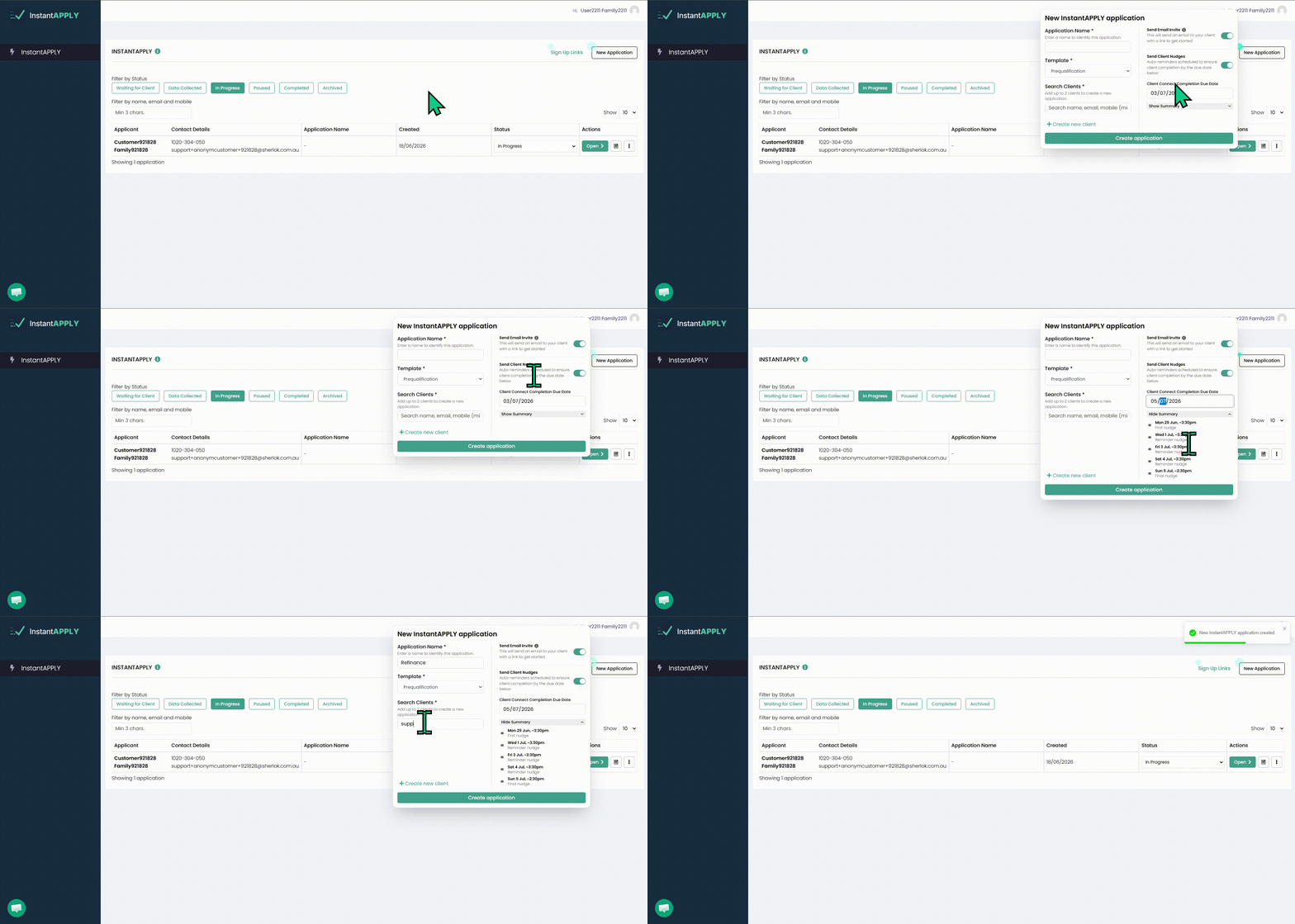
When creating a new InstantAPPLY application, brokers now have the following options:
A. Email Client Connect Links directly to applicants
• Send Email Invite - Toggle button to the right to enable or disable feature
• Click "🛈" to Preview the Email to the Client before sending.
B. Send scheduled reminders to encourage clients to complete their application.
• Send Client Nudges - Toggle button to enable/disable scheduled auto-reminders to ensure client completion by set due date.
• Client Connect Completion Due Date - Set the due date or final nudge for the reminders here. You can always change this later after the application has been created. (see below)
• Show/Hide Summary - Shows or hides the schedule of email reminders sent to your client to complete their InstantAPPLY application.
🎞️ Here's a quick guide to help:
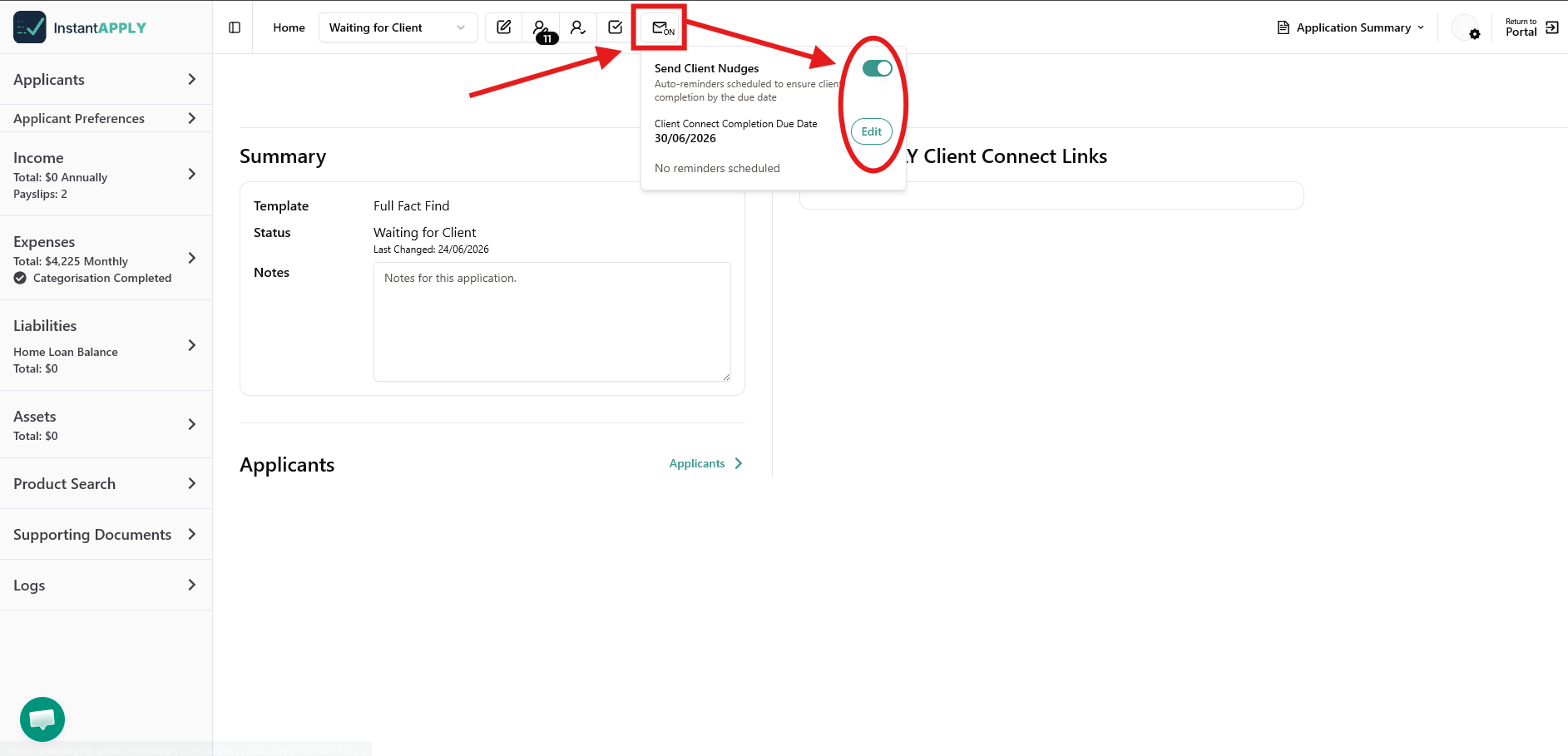
📝 If at any point afterwards you want to turn off or edit the Scheduled Reminders, you can do this within each application at the Top Navigation Bar, in the Client Nudges button (see below).
📌 Once completed, your client will receive an email inviting them to InstantAPPLY.